
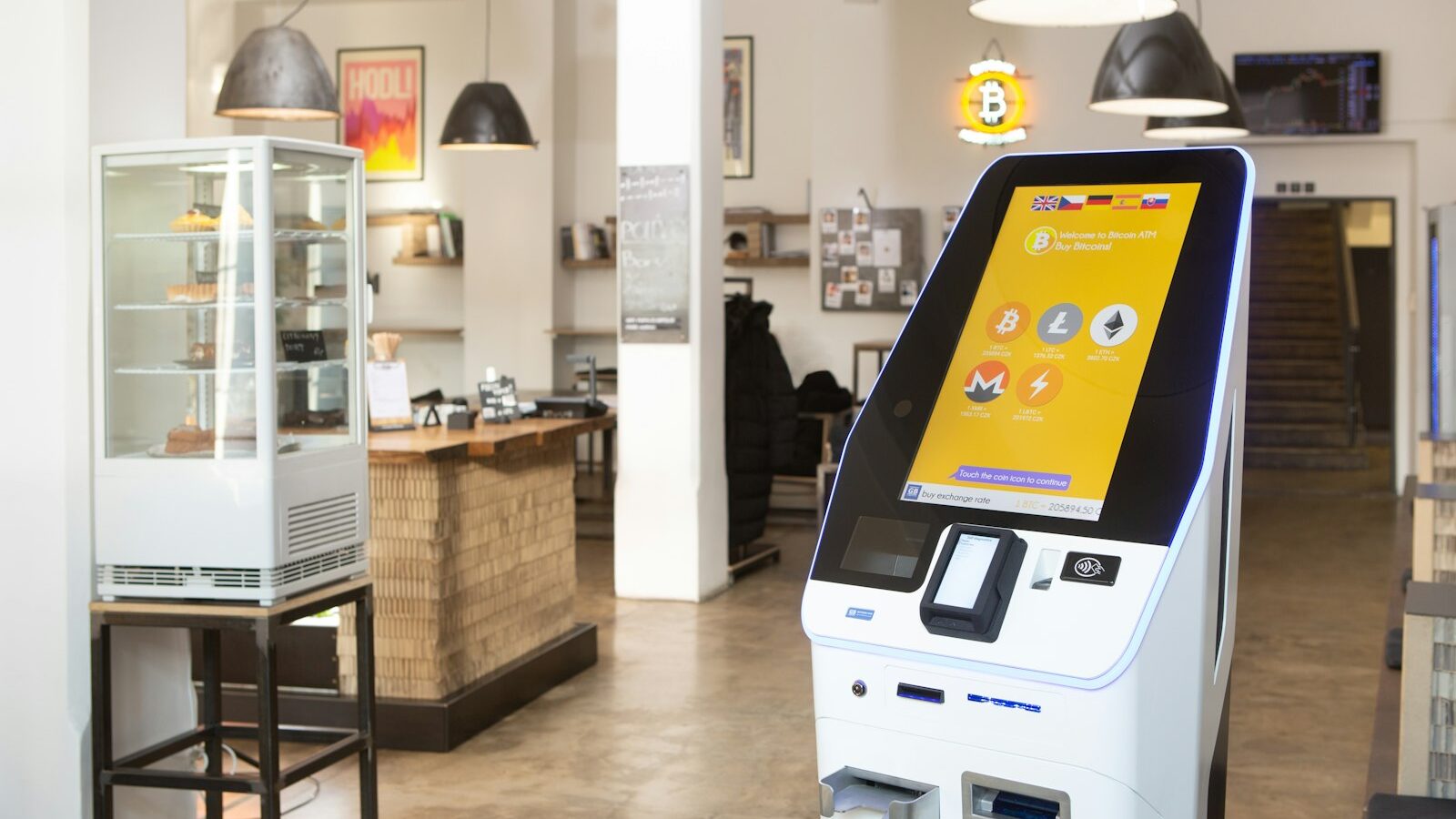
Choosing the right digital kiosk in Singapore is one of the more consequential technology decisions a customer-facing business will make this year. A well specified unit shortens queues, captures orders around the clock and frees your staff for higher value work. A poorly matched one becomes an expensive ornament in your lobby. Because a kiosk sits at the point where your brand meets the public, every detail from touch technology to enclosure rating shapes the experience your visitors remember.
This guide walks a Singapore business buyer through the full selection process. We cover the main kiosk types, the touch screen kiosk technologies worth comparing, indoor versus outdoor considerations, the hardware and mounting choices, the software and integrations that make a self-service kiosk genuinely useful, and accessibility. A practical checklist at the end ties everything together so you can brief a supplier with confidence.
Understand the Main Digital Kiosk Types
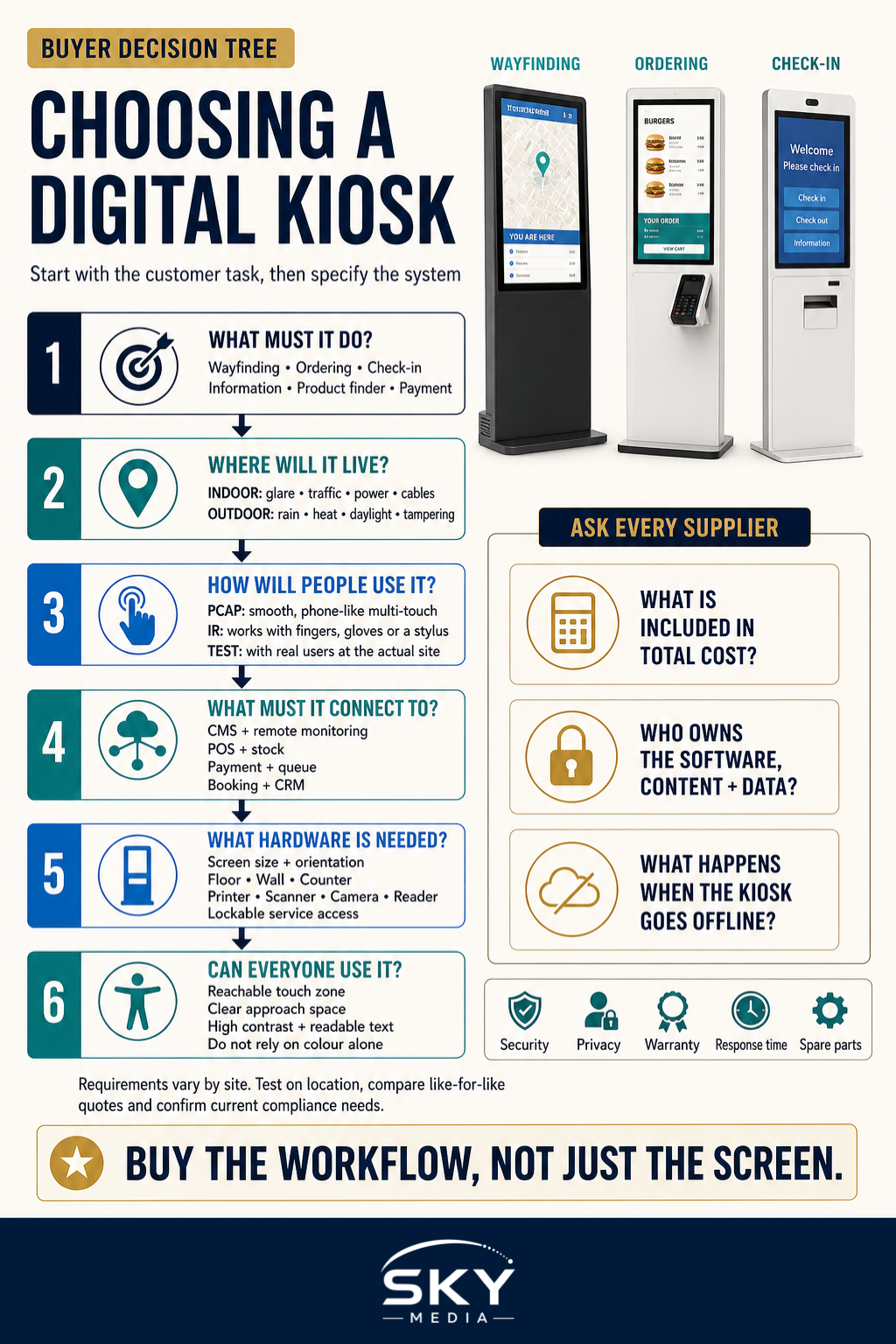
Before comparing screens and enclosures, decide what job the kiosk must do. The category of kiosk digital signage in Singapore you choose determines almost everything downstream, from footprint to peripherals.
Common kiosk categories
- Wayfinding kiosks guide visitors through malls, hospitals, campuses and large offices with interactive maps and directory search.
- Self-service ordering kiosks power QSR and casual dining, letting guests browse menus, customise items and pay without waiting for a counter.
- Check-in kiosks handle visitor registration, clinic queue tickets, event badge printing and hotel arrivals.
- Information kiosks deliver product details, promotions, government service info or tourist content in public spaces.
- Retail product finder kiosks extend a limited shelf into an endless aisle, letting shoppers search stock and order out-of-stock sizes.
- Payment kiosks accept bill payments, top-ups and ticketing, and demand the most rigorous security and compliance.
A single Singapore digital kiosk can blend roles, for example an ordering kiosk that also prints a queue number. Define the primary task first, then list secondary functions you may want later.
Compare Touch Screen Kiosk Technologies
The touch layer is where users judge your kiosk within seconds. Two technologies dominate the market, and the right choice depends on your environment and expected usage.
Capacitive versus infrared touch
Projected capacitive (PCAP) touch is the same responsive, glass-fronted technology found in modern smartphones. It supports multi-touch gestures, resists surface scratches well and looks premium behind edge-to-edge glass. PCAP is the strong default for indoor retail, hospitality and QSR ordering where a smooth, familiar feel matters.
Infrared (IR) touch uses a grid of beams just above the screen surface. It registers a touch from a finger, gloved hand or stylus, which suits industrial settings, healthcare and larger displays. IR panels scale cost-effectively to very large sizes, though the raised bezel can collect dust and direct sunlight may interfere with the beams outdoors.
A quick rule of thumb: choose capacitive for a premium, phone-like feel on screens up to around 32 inches, and consider infrared when you need glove compatibility, very large formats or a lower cost per inch on bigger displays.
Decide Between Indoor and Outdoor Kiosks
Where the kiosk lives changes the entire specification. Singapore’s heat, humidity and sudden downpours are unforgiving, so an outdoor deployment is never simply an indoor unit moved outside.
Indoor kiosks
Indoor units in air-conditioned malls, clinics and offices can use standard commercial displays. Your main concerns are screen brightness for well-lit lobbies, a clean enclosure that matches your interior, and cable management. Typical indoor brightness of 350 to 500 nits is sufficient away from direct glare.
Outdoor kiosks
An outdoor digital signage kiosk needs a high-brightness display of 1,500 to 2,500 nits or more to stay readable in daylight, an IP-rated weatherproof enclosure, and active cooling or heat management to cope with local temperatures. Anti-glare or optically bonded glass, vandal resistance and surge protection round out a durable build. If you are weighing an outdoor placement, our dedicated guide to outdoor digital signage covers ingress ratings and siting in more detail.
Choose the Right Hardware and Mounting
With type and environment settled, specify the physical build. Getting screen size, enclosure and mounting right the first time avoids costly retrofits.
Screen size
Match the display to viewing distance and content. A countertop ordering kiosk works well at 15 to 22 inches. Free-standing ordering and wayfinding units commonly use 27 to 43 inches. Large directory or information walls may run 55 inches or beyond. Portrait orientation suits menus and forms, while landscape suits maps.
Enclosure and materials
The enclosure protects the electronics and carries your brand. Powder-coated steel resists knocks in high-traffic areas, while stainless steel suits humid or hygiene-sensitive settings. Confirm ventilation, lockable service access and cable routing before you commit to a design.
Mounting options
- Floor-standing units offer a commanding presence and room for printers, scanners and payment terminals. Ideal for ordering, wayfinding and check-in.
- Wall-mounted kiosks save floor space in narrow lobbies and corridors, suiting information and directory use.
- Countertop kiosks sit on existing counters for compact ordering, feedback capture and retail lookups.
Also consider floor fixing and load. Public sites often require anti-tip anchoring, and any unit near a walkway must meet accessibility clearances.
Match Software, CMS and Integrations
Hardware is only half the story. The content management system (CMS) and integrations decide whether your digital signage kiosk in Singapore is easy to run and genuinely productive.
CMS and content control
Look for a cloud CMS that lets your team schedule content, update menus or maps remotely, and monitor device health across every location from one dashboard. Remote monitoring flags an offline or overheating unit before a customer ever notices.
Integrations that add value
- Payment: integration with local terminals and e-wallets such as NETS, PayNow and major card schemes for self-service transactions.
- POS: a live link to your point-of-sale so orders, stock and pricing stay in sync with the counter.
- Queue management: ticket issuing and live status so check-in and ordering feed a single queue.
- Booking and CRM: for check-in kiosks that pull appointments or push visitor records.
Confirm the software roadmap, support response times and whether the CMS is licensed per device or per site, as this affects your total cost of ownership.
Do Not Overlook Accessibility
An inclusive kiosk serves more customers and helps you meet public-space expectations in Singapore. Build accessibility into the specification rather than bolting it on later.
Key features include a lower touch zone or dual-height screen reachable from a wheelchair, adequate front clearance for approach, high-contrast and adjustable text, audio guidance or a headphone jack for visually impaired users, and tactile or on-screen controls that do not rely on colour alone. These details widen your audience and reduce the risk of a redesign.
Your Digital Kiosk Selection Checklist
Use this checklist to brief suppliers and compare quotes on equal terms.
- Define the primary kiosk type and any secondary functions.
- Choose the touch technology, capacitive or infrared, to match usage and screen size.
- Confirm indoor or outdoor, and set the required brightness and IP rating.
- Specify screen size and orientation for your content and viewing distance.
- Select the enclosure material, finish and branding.
- Pick the mounting method: floor-standing, wall or countertop.
- List required peripherals: printer, scanner, card reader, camera.
- Set CMS needs: scheduling, remote monitoring and user roles.
- List integrations: payment, POS, queue, booking and CRM.
- Include accessibility features from the outset.
- Agree warranty, service level and spare-part availability.
- Calculate total cost of ownership, not just the upfront price.
A thorough brief built from these points helps you shortlist the right partner quickly. For a wider view of vetting vendors, read our guide to choosing the right digital signage supplier in Singapore.
Selecting the best digital kiosk in Singapore comes down to matching the right type, touch technology, environment rating, hardware and software to the job in front of you. Start from the customer task, work outward to the specification, and insist on a CMS and support model you can live with for years. Do that, and your kiosk becomes a dependable member of the team rather than a line on the maintenance budget.
Explore more: