

Bills have a way of piling up: utilities, phone, insurance, town council conservancy charges, tuition, gym memberships, and the growing list of subscriptions. Paying each one by hand every month is tedious and easy to forget, and a missed payment can mean a late fee or a service cut off. This is where automating recurring payments singapore households have long relied on comes in, most famously through GIRO, but also through card autopay and newer options like PayNow.
This guide explains the main ways to set up automatic payments, how they differ, and how to stay firmly in control so automation works for you rather than quietly draining your account. This is general information to help you understand your options, not financial advice, so always confirm details with your own bank and the biller’s official channels.
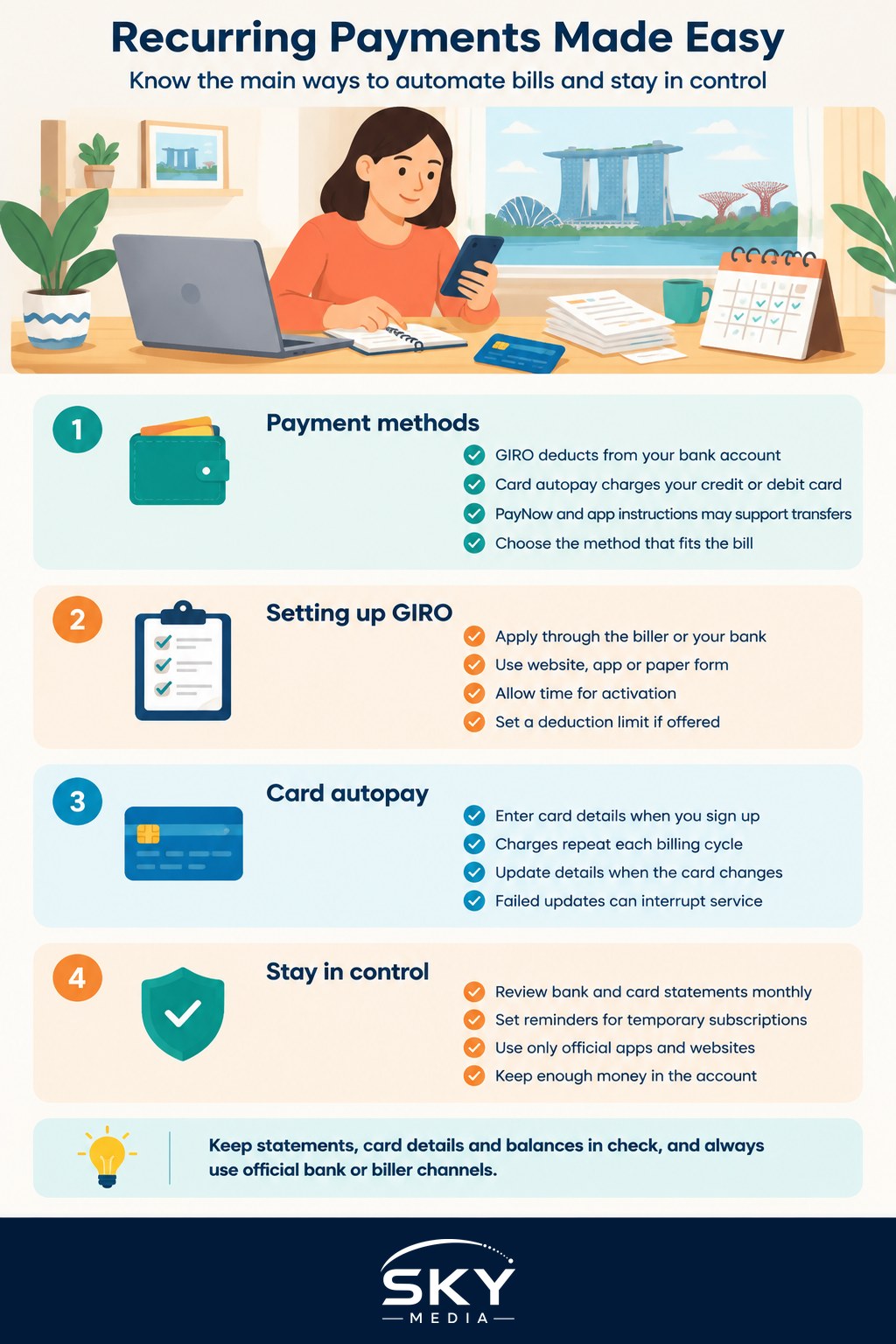
The Main Ways to Pay Automatically
There are a few common methods, and it helps to know how each behaves.
GIRO is a long-standing arrangement where you authorise a company, called the billing organisation, to deduct money directly from your bank account on a regular basis. It is popular for utilities, insurance premiums, tax, and school fees. GIRO deductions come straight from your bank balance, so there is no card to expire and nothing to renew.
Card autopay links a bill to your credit or debit card, so the amount is charged to the card each cycle. This is common for streaming services, mobile plans, and many online subscriptions. The catch is that when your card expires or is replaced, you need to update the details, or the payment fails.
PayNow and standing instructions through your banking app are increasingly used for regular transfers too, though the exact recurring features depend on your bank. Our guide to PayNow explained covers how the wider system works, and digital banking apps walks through managing money from your phone.
Each method has its place. GIRO is steady and predictable for essential bills, while card autopay is convenient for subscriptions you might change more often.
How to Set Up GIRO
Setting up GIRO can happen in a couple of ways, depending on the biller.
- Through the biller: Many organisations let you apply for GIRO on their website or app, or through a paper form. You provide your bank details and authorise the deduction, and it may take a couple of weeks to activate.
- Through your bank: Most banks let you set up and manage GIRO arrangements directly in their internet banking or mobile app, often with faster approval.
When applying, you will usually confirm the account to deduct from and, in some cases, a maximum deduction limit, which caps how much can be taken in one go. Setting a sensible limit is a useful safeguard against errors or unexpected charges.
Because processing can take time, keep paying manually until you receive confirmation that GIRO is active. After that, the deductions run on their own. Always refer to your bank and the biller for their exact steps, timelines, and any terms, as these differ between organisations.
How to Set Up Card Autopay
Card autopay is usually the quickest to arrange. When you sign up for a service, you enter your card details and agree to recurring billing. From then on, the charge appears on your card each cycle.
The key habit here is keeping your card details current. When a card is renewed or replaced, update it with each service, or expect failed payments and interrupted service. Many banks offer an automatic card updater with some merchants, but do not assume it covers everything. Keeping a simple list of which bills sit on which card makes this far less stressful.
Staying in Control
Automation is convenient, but it can hide creeping costs, especially subscriptions you forgot you had. A little discipline keeps things healthy.
Review your bank and card statements every month and question anything unfamiliar. Our guide to managing your subscriptions and free trials is a great companion here, since automatic billing is exactly how forgotten trials quietly turn into ongoing charges. Set calendar reminders for anything you only want temporarily.
Security matters too. Only ever set up payments through your bank’s official app or the biller’s genuine website. Banks and government agencies in Singapore will never ask you to share your full passwords, one-time passwords, or Singpass details to set up a payment, and you should never approve a payment authorisation you did not initiate. If someone unexpectedly pressures you to set up a GIRO or transfer, treat it as a warning sign. For more on protecting yourself, see our guide to avoiding scams.
Finally, make sure the deducting account has enough balance around billing dates. A failed GIRO deduction can sometimes carry a charge from the biller, and repeated failures may pause the arrangement, so a small buffer helps.
A Quick Wrap-Up
Recurring payments take the mental load off managing bills, whether through GIRO straight from your bank account, card autopay for subscriptions, or transfers through your banking app. Set them up through official channels, consider a deduction limit for peace of mind, keep card details current, and review your statements each month so nothing slips through unnoticed. Automate the boring bits, stay alert to the details, and let your bills quietly take care of themselves. When in doubt, always check with your own bank and the biller directly.
Frequently Asked Questions
How do I cancel or change a GIRO arrangement? You can usually do it through your bank’s app or internet banking, or by informing the biller, depending on how it was set up. Allow some lead time, because changes may not take effect before the next billing cycle. Keep paying manually until you get confirmation.
What should I do if the wrong amount is deducted by GIRO? Contact the biller first with your statement and bill, and ask for an explanation or correction. If it is not resolved, raise it with your bank. Keep records of your communication. Setting a deduction limit helps reduce the risk of overcharging.
Can foreigners or PRs set up GIRO? Generally yes, as long as you hold a bank account in Singapore that offers GIRO and the biller accepts it. Requirements and processing times differ between banks and organisations, so check with your own bank and the biller.
Can I pay my income tax by GIRO? IRAS offers GIRO as a way to pay tax, including in instalments. Check the latest options, deadlines and how to apply on IRAS’s website. Do not use links or calls from unfamiliar sources to set it up.
What happens to my GIRO payments if I close or change my bank account? The arrangements tied to the old account will stop working, so payments may fail. Before you change, list your GIRO bills and set them up again with the new account. Check that each biller has confirmed the update.
Further reading: Setting Up GIRO and Recurring Payments