

Once your SIM card is working, the next thing to arrive is your first bill. In China you may be used to topping up a prepaid balance through Alipay or WeChat Pay and seldom thinking about a monthly statement. In Singapore, many people use postpaid plans, where the telco charges you after each month based on your plan and usage. Understanding a telco bill in Singapore helps you avoid surprise charges, late fees and service suspension.
This guide focuses on reading and paying mobile bills from the three main network operators, Singtel, StarHub and M1, as well as the smaller brands that run on their networks. It does not cover choosing a SIM card or setting up home broadband.
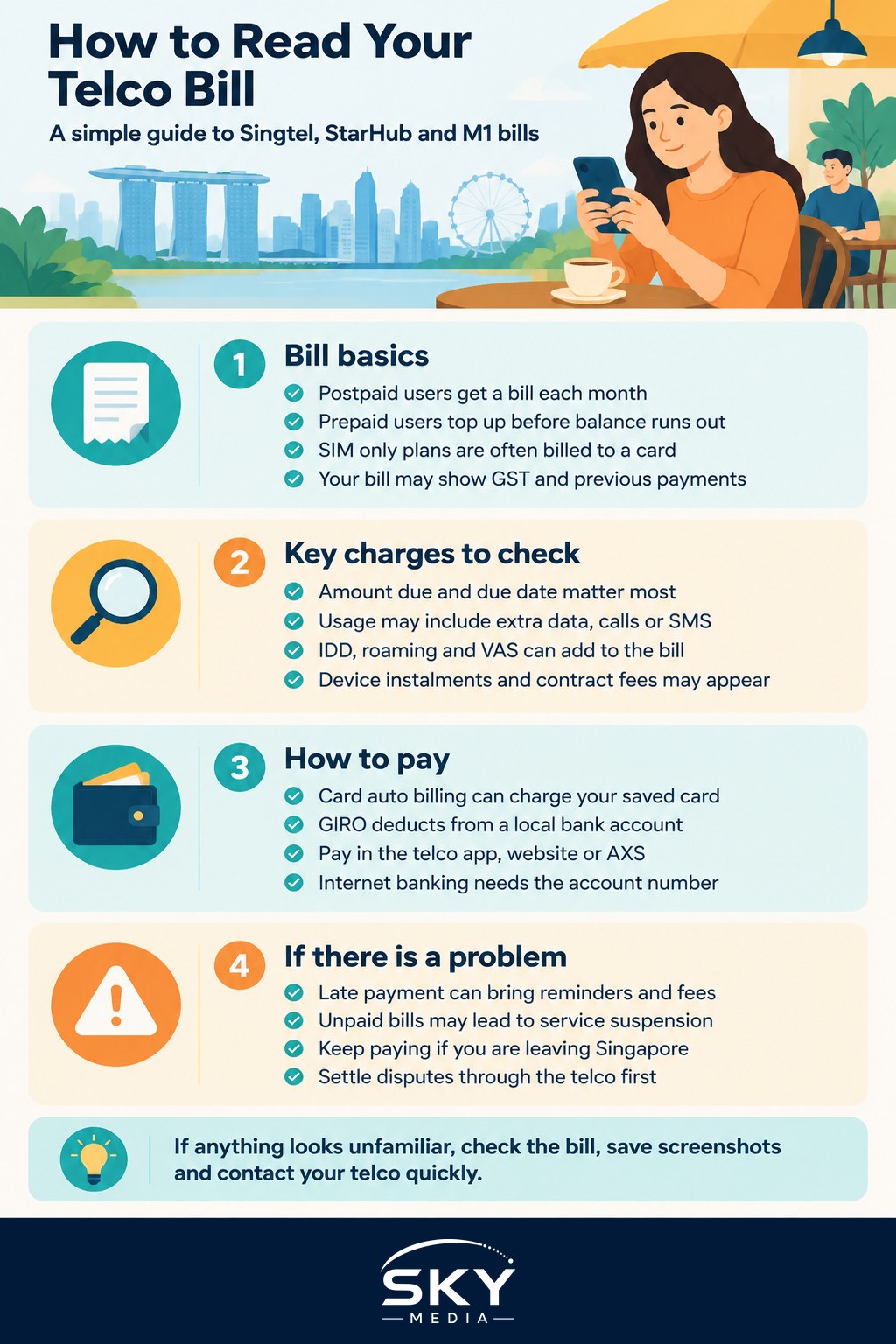
Prepaid or Postpaid: Which Bill Will You Get?
The kind of plan you have decides whether you get a bill at all.
- Prepaid. You pay first and use the value until it runs out. There is no monthly bill, but you must top up or renew your data pack before it expires. Many newcomers start with prepaid while waiting for their pass and bank account.
- Postpaid. You sign up for a plan, often with a contract period, and receive a bill each month. Signing up usually requires identification such as your passport and work pass, and the telco may ask for a deposit from foreigners. Check the requirements with the telco directly.
- SIM only or no contract plans. Some providers, including digital brands that use the main networks, offer monthly plans without a long contract. They are usually billed to a card automatically.
If you are on prepaid, the rest of this guide matters less, but read on if you plan to switch to postpaid after you settle.
What You Will See on a Typical Mobile Bill
Layouts differ between Singtel, StarHub and M1, and they change from time to time, but most bills have the same main parts.
- Account number and bill date. You need the account number when paying by some methods or contacting customer service.
- Amount due and due date. The single most important line. Pay the full amount by this date.
- Plan subscription. Your fixed monthly fee for the plan.
- Usage charges. Anything outside your plan, such as extra data, calls or SMS beyond your allowance.
- International and roaming charges. IDD (international direct dialling, meaning calls to overseas numbers) and roaming used while travelling.
- Value added services (VAS). Add-ons such as caller ID, music or video streaming bundles, insurance or cloud storage.
- Device instalments. If you took a phone with your contract, a monthly instalment appears here.
- GST. Goods and Services Tax, Singapore’s consumption tax, which appears on the bill. Prices in ads may or may not include it, so check.
- Previous balance and payments received. This shows whether your last payment went through.
Your first bill often looks larger than expected because it may include a partial month (charges for the days from your sign up date to the start of your billing cycle) plus the first full month in advance, along with one time charges like a SIM or registration fee.
Common Charges That Surprise Newcomers
These are the items people most often query on their first few bills.
- Roaming during trips home. Using data in China without a roaming pack can be expensive. Buy a roaming data pack from your telco before you fly, or use a local China SIM while there.
- Calls to China numbers. Calling a +86 number directly from your Singapore line is billed as IDD unless your plan includes it. Many people use messaging app calls on Wi-Fi instead.
- Subscriptions you did not notice. Some VAS come with a free trial that turns into a paid service. Check your bill and the telco app for active add-ons.
- Excess data. If your plan has a data cap, going over can add charges. Check whether your plan auto adds data or slows your speed.
- Late payment charges. Paying after the due date may incur a fee.
- Early termination charges. Ending a contract before its end date usually costs a fee. This matters if your job or pass ends early.
Ways to Pay Your Mobile Bill
Singtel, StarHub and M1 each support several payment methods. The exact options can change, so confirm in the telco’s app or website.
| Payment method | How it works | Good for | Things to check |
|---|---|---|---|
| Credit or debit card auto billing | Bill is charged to a saved card each month | Newcomers with a card who want it automated | Update the card before it expires |
| GIRO | Automatic deduction from a local bank account | Long term residents with a local bank account | Setup can take a few weeks, so pay manually until it is active |
| Telco app or website | Pay each bill manually with a card or other supported method | People who like to review every bill | Set a reminder for the due date |
| AXS stations and other payment channels | Pay bills at self service kiosks or online bill payment services | Paying without logging into the telco account | Keep the receipt and allow time for processing |
| Internet banking bill payment | Add the telco as a billing organisation in your bank app | Those who already manage bills in their bank app | Enter the account number exactly |
AXS refers to a common network of self service payment kiosks found in many neighbourhoods and its online payment service. GIRO is Singapore’s interbank direct debit system; you authorise the telco to pull the bill amount from your bank account each month.
What Happens If You Miss a Payment
Missing a payment rarely causes immediate trouble, but it should not be ignored.
- You may get SMS or email reminders and a late payment charge.
- If bills remain unpaid, the telco may restrict or suspend outgoing services, which can affect OTP (one time password) messages for banking and Singpass logins.
- Long overdue amounts may be passed to a debt collection agency, and unpaid accounts can make it harder to sign up for services later.
If you are leaving Singapore, settle your final bill and terminate the line properly rather than just stopping payment.
When Your Bill Looks Wrong
If a charge seems incorrect, act quickly. Contact the telco through its app, chat or hotline, and keep screenshots of your bill and usage. Most errors, such as a VAS you never signed up for, can be fixed at this stage. If you cannot resolve it, our guide on how to dispute a telco or utility bill in Singapore explains the escalation steps.
A Simple Monthly Bill Routine
- Open the bill as soon as the email or app notification arrives.
- Compare the amount with last month. Any big jump deserves a closer look.
- Check usage, roaming and VAS lines for anything unfamiliar.
- Confirm the payment method went through, especially in your first few months.
- Note your contract end date so you can compare plans before it renews.
Handling your phone bill is one of many small systems you will learn in your first months. For the others, see our guide to settling in as a newcomer from China. This article is general information, not financial advice, and plan terms, fees and payment methods vary, so check the current details with your telco.
Official sources: Infocomm Media Development Authority (IMDA)
Further reading: How China Newcomers Can Use FairPrice Like Locals · How to Move to Spotify From China Music Apps