

Parenting comes with endless small questions, from what to cook for a fussy eater to how to explain a tricky topic to a curious seven-year-old. Increasingly, parents are turning to AI chatbots for a quick sounding board. Used thoughtfully, ai for parenting singapore can be a handy helper for ideas, drafts and everyday admin. Used carelessly, it can give you wrong or unsafe information about a child’s health or development. This guide keeps things balanced, so you get the useful parts while steering well clear of the risks.
The short version is this. AI is a starting point for ideas and everyday tasks. It is not a doctor, a therapist or a child-development expert. For anything to do with your child’s health, growth, behaviour or safety, a qualified professional comes first, every time.
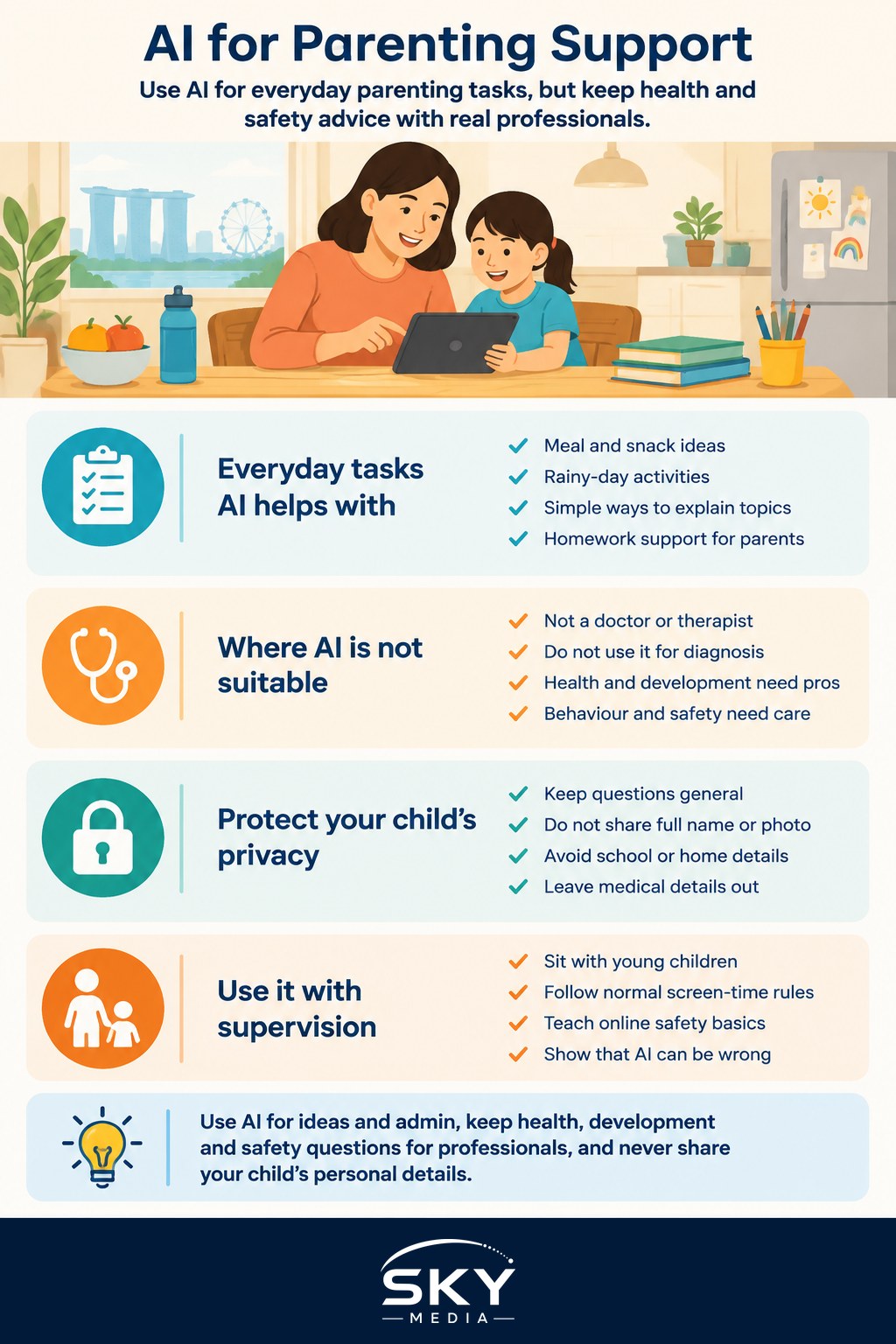
Everyday tasks AI handles well
There is a wide band of ordinary parenting admin where AI genuinely saves time and mental energy.
- Meal and snack ideas. Ask for a week of simple, balanced dinners for a family with a picky toddler, or lunchbox ideas that survive until recess. You still decide what actually goes on the plate.
- Activity and boredom busters. Rainy-day indoor games, screen-free activities, simple craft ideas using things you already have at home. Great for filling a long afternoon.
- Explaining tricky topics. Ask AI to explain something in words a young child understands, then adapt it yourself. It can help you find a gentle way to start a hard conversation.
- Homework help for you. If your child’s Primary maths method looks unfamiliar, AI can explain the modern approach so you can help without confusing them. Always check the working yourself.
- Routines and reminders. Drafting a bedtime routine, a chore chart or a packing list for a trip. These are low-risk, practical wins.
If you are new to these tools, the same everyday habits described in using AI chatbots in daily life apply directly to parenting tasks.
Where AI is not the right helper
Some things are simply not AI’s job, and treating a chatbot as an authority here can be harmful.
AI is not a substitute for medical or child-development advice. Do not use it to diagnose a rash, decide on a medicine dose, judge whether a fever is serious, or assess whether your child is meeting developmental milestones. These questions belong with your paediatrician, a polyclinic doctor, KKH or a qualified professional. If you are worried about your child’s speech, behaviour, learning or emotional wellbeing, speak to a doctor, a school counsellor or a specialist rather than relying on a chatbot’s guess.
AI can also sound completely confident while being wrong, a problem covered in AI hallucinations and fact-checking. For a child’s welfare, that confidence is exactly the trap to avoid. When the stakes involve health or safety, verify with a real professional and never rely on AI alone.
Protect your child’s privacy
This deserves its own warning. Do not share your child’s personal data with public AI tools. That means no full name, photo, school, home address, medical history, or your child’s birth date and identity details typed into a chatbot. Once information goes into a public tool, you lose control over where it sits and how it might be used.
Keep your questions general. Instead of “My daughter Sarah at her primary school has this exact condition,” ask “How can I help a young child who is anxious about starting school?” You get the useful ideas without exposing your child. If you ever need to discuss specific health details, do that with a professional, not a chatbot.
Keep it age-appropriate and supervised
If your children use AI tools themselves, treat it like any other online activity that needs oversight.
- Supervise younger children. For young kids, sit with them and use AI together rather than letting them chat alone. Public chatbots are not designed as children’s products.
- Watch screen time. AI can be engaging, so fold it into your normal screen-time limits rather than treating it as separate.
- Talk about online safety. Remind children not to share personal details and to tell you if anything they see feels strange or upsetting. Our guide to kids online safety covers this in more depth.
- Explain that AI can be wrong. Teaching kids early that a confident answer is not always a correct answer is a valuable life skill.
A balanced way to use it
Here is a sensible rhythm. Lean on AI for the light, practical load: meal ideas, activities, routines, drafting messages and explaining everyday concepts. Keep every health, development, behaviour and safety question with a qualified professional. Protect your child’s privacy by keeping questions general and personal details out. Supervise young children and fold AI into your normal screen-time and online-safety rules. And always verify anything important before acting on it.
Approached this way, AI becomes a helpful backstage assistant for the busy parts of family life, while the big decisions, the reassurance and the real care stay exactly where they belong, with you and the professionals who support your family.
Frequently Asked Questions
Can AI help me explain a difficult topic to my child? Yes, it can suggest simple words and gentle ways to start the conversation, such as a story or an everyday comparison. Adjust it for your child’s age and temperament, and stay with them to answer follow-up questions in your own way.
Is it okay for my child to use AI chatbots for school projects? Only with supervision and within the school’s rules. Public chatbots are not designed for children, and answers can be wrong. Check the school’s policy, encourage your child to do the thinking, and review any facts together against their textbooks.
How can I find reliable parenting advice in Singapore? Look to your child’s paediatrician or polyclinic, and to official sources such as the Health Promotion Board and MOH for health guidance. For school matters, speak to teachers or the school counsellor. Use AI for ideas, not as the authority.
What are signs I should see a doctor rather than ask a chatbot? Any worry about a high or lingering fever, breathing trouble, unusual drowsiness, dehydration, a delay in speech or movement, or a sudden change in behaviour warrants a doctor. In an emergency, go to hospital or call for help without delay.
How much screen time with AI tools is reasonable for children? There is no single answer, but AI use should fit within your family’s existing screen-time limits and not replace play, sleep or reading. Younger children should use it only alongside you. Your paediatrician can advise on what suits your child’s age.