
Homework help used to mean an assessment book, a worried parent, and a lot of guessing. Today many families are curious about using an AI tutor for kids in Singapore to explain a tricky sum, break down a comprehension passage, or drill spelling before a test. Used well, an AI chatbot can be a patient, always available study aid. Used carelessly, it can hand your child wrong answers, do the thinking for them, or quietly collect personal information. This guide keeps things practical and honest so you can decide what works for your family.
What an AI tutor can and cannot do
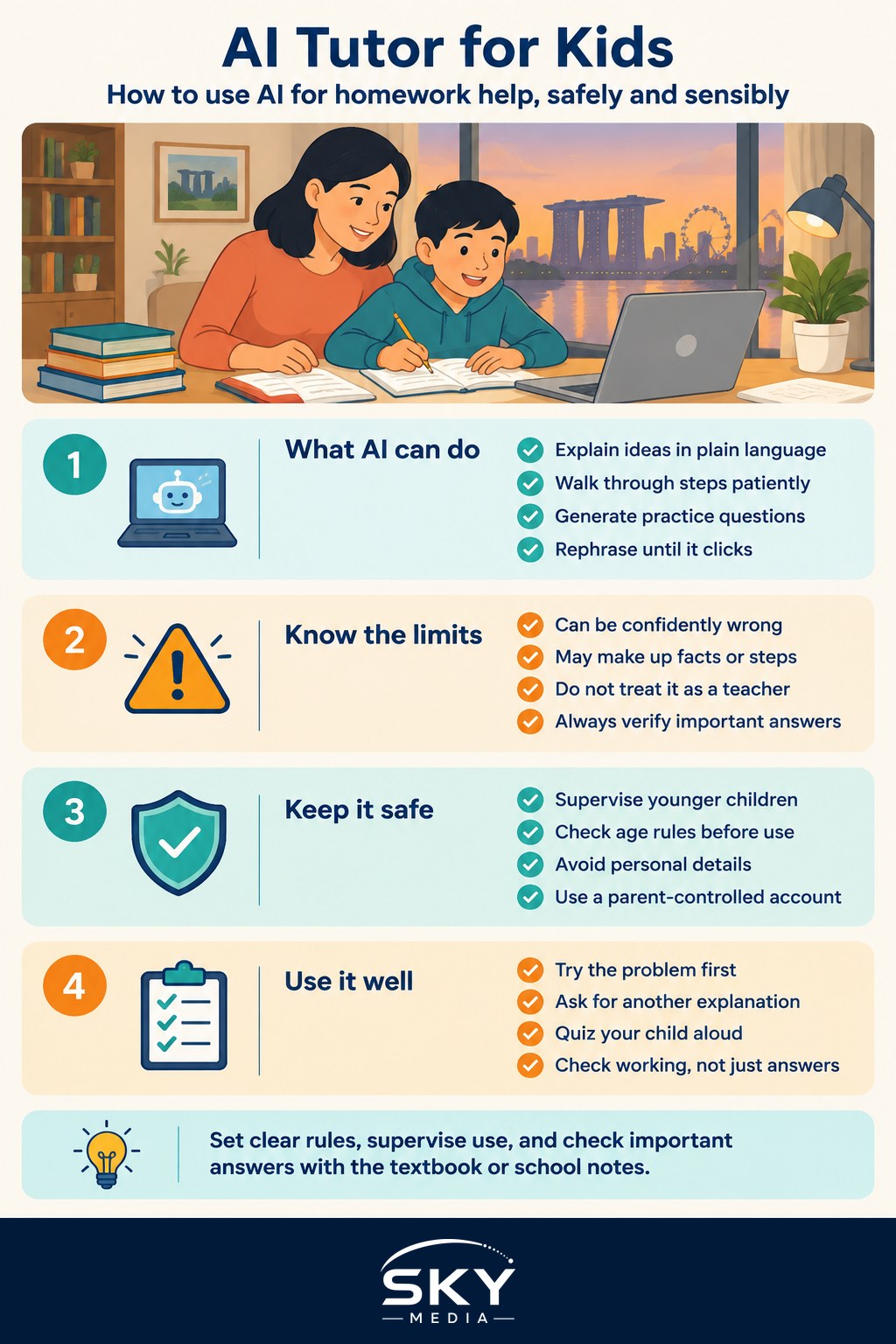
An AI tutor is a computer program that can explain concepts, answer questions, and generate practice questions in plain language. At its best, it does not just give the answer. It walks through the steps, offers a simpler example, and rephrases an idea until it clicks. For a child stuck at 9pm the night before a test, that patience is genuinely useful. It never sighs, never rushes, and will happily explain fractions for the tenth time.
But be clear about the limits. AI can be confidently wrong. These tools sometimes make up facts, dates, or steps in a process, a problem often called a hallucination. A chatbot might give a neat looking maths solution with a mistake buried in the middle, or state a “fact” about Singapore history that is simply untrue. So treat AI as a study aid, not a replacement for a teacher. Your child’s school teacher understands the syllabus, marks the exams, and knows your child. An AI does not. If you want to understand why these tools slip up, our explainer on AI hallucinations and fact-checking is a good next read.
The golden rule for the whole family: verify anything that matters. Cross-check answers against the textbook, the school notes, or a trusted source before your child copies anything down.
Keeping it safe and age-appropriate
Supervision is the single most important thing you can do. Younger children in particular should not be left alone with an open ended chatbot. Sit with them, or keep the device in a shared space where you can glance at the screen. Many AI tools have a minimum age in their terms of use, often thirteen or above, so check this before you set anything up. For a younger child, you operate the tool and read the answers together rather than handing over the keyboard.
Keep the material age-appropriate. Ask the AI to explain things “for a Primary 4 student” or “in simple words for a nine year old”, and it will usually adjust its tone and vocabulary. Preview answers where you can, because a general chatbot is not designed only for children and may raise topics you would rather introduce yourself.
Protect your child’s personal data. Do not type your child’s full name, school, NRIC or FIN, class, home address, photos, or health details into a public AI tool. You do not know exactly how that information is stored or used. Turn off chat history or memory features if the tool offers that choice, and use a parent-controlled account rather than one in your child’s name. Our guide to kids and AI for parents goes deeper on privacy and healthy habits.
Practical ways to use it well
Here are ways an AI tutor earns its keep without doing the homework for your child:
- Ask it to explain a concept a different way when the textbook wording is confusing.
- Get it to generate fresh practice questions on a topic, then let your child attempt them offline.
- Use it to check your child’s own working and point out where a step went wrong, rather than to produce the final answer.
- Turn revision into a quiz, with the AI asking questions and your child answering aloud.
- Ask for a simple analogy, like explaining the water cycle using an HDB kitchen and a boiling kettle.
The habit to build is thinking first, then checking. Encourage your child to attempt the problem, then use AI to test their reasoning. If the tool simply spits out answers to be copied, learning stops. Schools here take academic integrity seriously, so make sure any AI help is understood as practice and explanation, not something to submit as your child’s own work. For revision technique that applies to older students too, see AI for studying and exam revision, and for a broader view of tools that suit school work, AI tools for students is worth a look.
A sensible family routine
Set a few house rules and stick to them. Agree on when the tool can be used, for how long, and for which subjects. Keep sessions short and shared, especially for younger children. Sit together, verify the important answers, and talk about what the AI got wrong, because spotting mistakes is itself a great learning moment. If your child ever seems confused or upset by something a chatbot said, close it and talk it through.
An AI tutor for kids in Singapore is best seen as one helper among many, alongside the teacher, the textbook, and you. Kept supervised, age-appropriate, fact-checked, and private, it can make studying a little calmer for everyone. The teacher still teaches. The child still thinks. The AI just lends a patient hand in between.
Further reading: Using AI for Parenting Support