
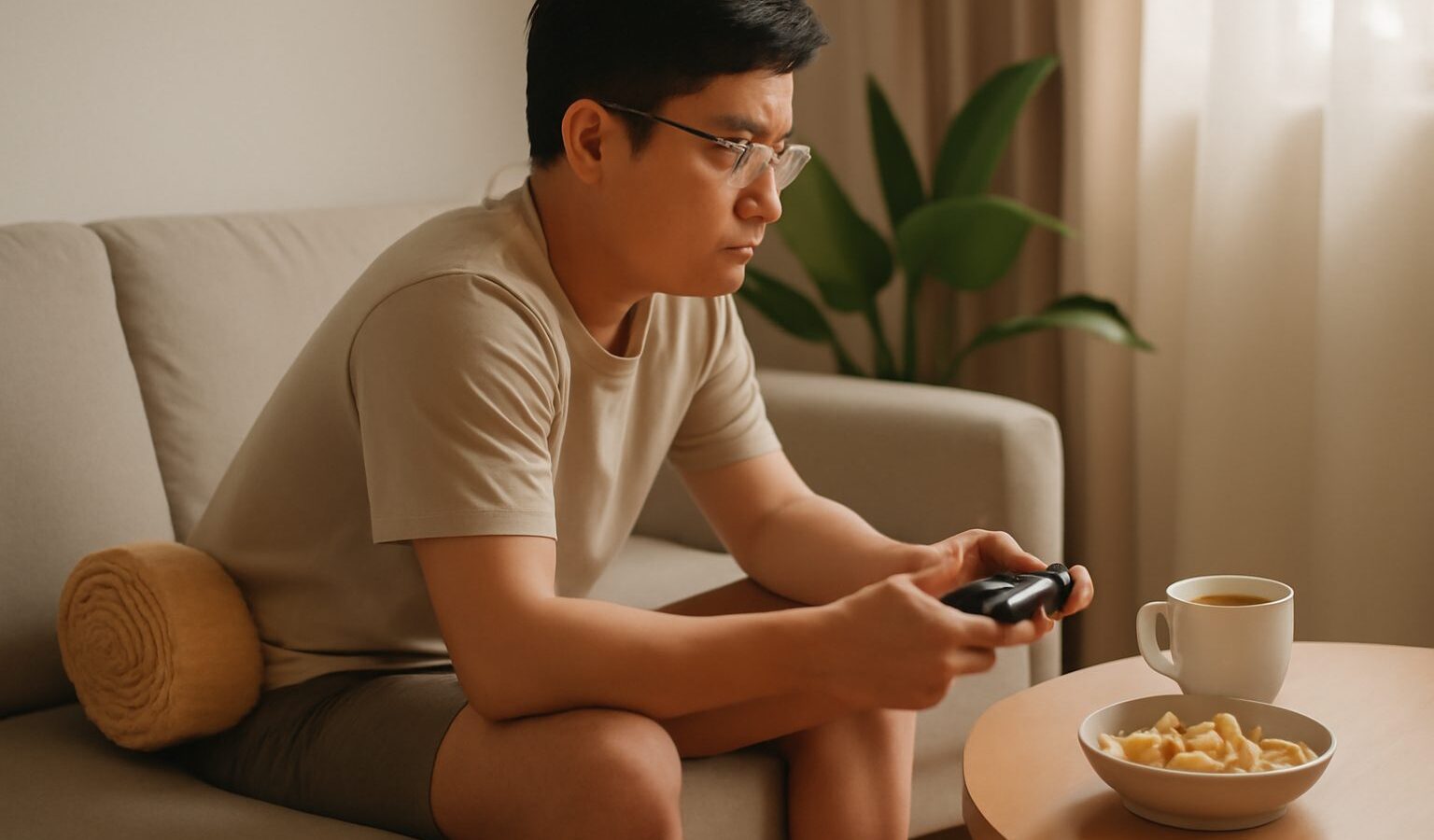
Long sessions in a comfy gaming chair can leave you with a stiff neck, tired eyes, or achy wrists. Gaming strain is the general term for these everyday aches that come from sitting still and repeating the same movements for hours. The good news is that most of it is easy to prevent with small habits, and none of it requires fancy gear. This guide shares simple, practical ways to play comfortably at home in Singapore, whether you game after school, after work, or well into retirement.
A quick and important note first: this is general wellbeing information, not medical advice. If you have pain that is sharp, spreading, or lasting more than a couple of weeks, or any numbness or tingling, please see a doctor or a physiotherapist. Do not try to diagnose yourself from an article.
Why Gaming Strain Happens
Games are absorbing, and that is exactly the problem for your body. When you are focused on a match, you stop noticing that you have not moved, blinked, or shifted position in an hour. Strain builds up quietly from three main sources.
- Staying still: Muscles that hold one position for a long time get tired and tight, especially in the neck, shoulders, and lower back.
- Repeating movements: Clicking, tapping, and gripping the same way for hours can irritate the wrists, hands, and forearms.
- Screen focus: Staring at a bright display up close makes your eyes work hard and blink less, which leaves them dry and tired.
Understanding these three causes makes the fixes obvious. You want to move more, vary your movements, and give your eyes regular rests. Everything below follows from that.
Set Up Your Space to Support You
A comfortable setup does half the work for you. You do not need an expensive chair or desk; you need sensible positioning. Small adjustments to what you already own go a long way.
- Screen height: The top of your monitor should be roughly at eye level, about an arm’s length away, so you look slightly down rather than craning up or hunching forward.
- Chair and back: Sit back so the chair supports your lower back. A cushion behind you works if your chair does not. Whether pricey seats help is covered in our look at whether gaming chairs are worth it.
- Feet and knees: Keep your feet flat on the floor with knees at roughly a right angle. A footrest or a thick book helps shorter players.
- Arms and wrists: Rest your forearms so your shoulders relax, and keep your wrists straight rather than bent up or down when using a keyboard, mouse, or controller.
- Lighting: Avoid gaming in a dark room with only a bright screen. A soft lamp in the room reduces the contrast your eyes fight against, and cutting glare from windows helps too.
If you are still building your play area, our guide to setting up a gaming corner in your HDB flat covers arranging a small space well.
Take Breaks Before You Feel You Need To
The single most effective habit is also the simplest: get up regularly. Waiting until you ache means you have waited too long. Build breaks into your play so they happen automatically.
A friendly rhythm many players like is a short pause every forty-five to sixty minutes. Stand up, walk to the kitchen for a glass of water, roll your shoulders, and let your eyes look around. Even two minutes resets a lot of tension. Between ranked matches or at a save point are natural moments to do this.
For your eyes specifically, remember the 20-20-20 rule: every 20 minutes, look at something about 20 feet away (roughly 6 metres, like across the room or out the window) for at least 20 seconds. It gives the focusing muscles in your eyes a genuine rest. Blinking on purpose a few times also refreshes dry eyes, since we blink far less when concentrating.
If you tend to lose track of time, set a gentle timer on your phone or use a clock you can see. Some players fill a large water bottle before a session, which doubles as a break reminder and keeps them hydrated in our warm climate.
Care for Your Wrists, Hands, and Eyes
Repetitive strain in the hands is common among keen gamers, but a little care prevents most of it. None of this is about stopping play, just playing kindly to your body.
- Warm up and loosen: Before a long session, gently open and close your hands and roll your wrists a few times. Do the same during breaks.
- Relax your grip: Many players clutch the mouse or controller far harder than needed. A loose, light hold reduces fatigue.
- Keep wrists neutral: Aim for straight wrists. A soft wrist rest or simply resting your forearms on the desk can help you avoid bending them.
- Rest your eyes: Follow the 20-20-20 rule, keep the screen an arm’s length away, and lower brightness if the display feels harsh at night.
- Stop if it hurts: Pain is a signal, not a challenge to push through. If a movement hurts, rest it. Persistent or worsening pain deserves a doctor or physiotherapist.
The table below sums up common gaming aches, likely everyday causes, and gentle steps to try. It is a general guide, not a diagnosis.
| Common ache | Everyday cause | Simple things to try |
|---|---|---|
| Sore neck or shoulders | Screen too low, hunching | Raise screen to eye level, sit back, stretch on breaks |
| Tired, dry eyes | Long screen focus, glare | 20-20-20 rule, blink more, add soft room lighting |
| Achy wrists or hands | Bent wrists, tight grip | Keep wrists straight, loosen grip, rest forearms |
| Lower back ache | Slouching, no support | Support the lower back, feet flat, stand up regularly |
Keep Your Whole Body Active
Comfort at the desk matters, but so does what you do away from it. A body that moves during the day copes far better with sitting in the evening.
Try to balance gaming with regular activity. A walk around the neighbourhood, a swim at the community pool, stairs instead of the lift, or a short home stretch routine all count. Simple neck rolls, shoulder shrugs, and gentle back stretches feel especially good after a long session.
Sleep and hydration quietly affect how your body handles strain too. Late-night marathons cut into rest, and tired eyes and muscles are more prone to aching. Drinking enough water in Singapore’s heat helps your whole body, eyes included. Try to finish intense sessions a while before bed so your mind can wind down.
Balance is the real goal. Gaming is a wonderful hobby, and none of this means playing less; it means playing in a way your body will thank you for tomorrow.
When to Seek Help
Most gaming strain fades with the habits above. Some situations, though, call for a professional rather than self-care.
See a doctor or physiotherapist if pain is sharp, does not settle with rest, keeps returning, spreads, or comes with numbness, tingling, or weakness in the hands or arms. These are worth checking properly rather than guessing at.
It is also worth a wider check-in if gaming is regularly costing you sleep, meals, exercise, studies, work, or time with the people you care about. If play feels hard to control or is causing distress, talking to a doctor or a counsellor is a sensible step. In Singapore you can reach mindline at 1771 or visit mindline.sg, and SOS is available at 1767. For any medical emergency, call 995. Looking after your body and mind is part of enjoying the game for the long run.