

Choosing an SSD for gaming is one of the most satisfying upgrades you can make, because the difference over an old mechanical hard drive is immediate and obvious. Games install faster, levels load in a fraction of the time, and your whole system feels snappier. This guide cuts through the jargon so you can pick the right drive for how you actually play, without overspending on numbers you will never notice.
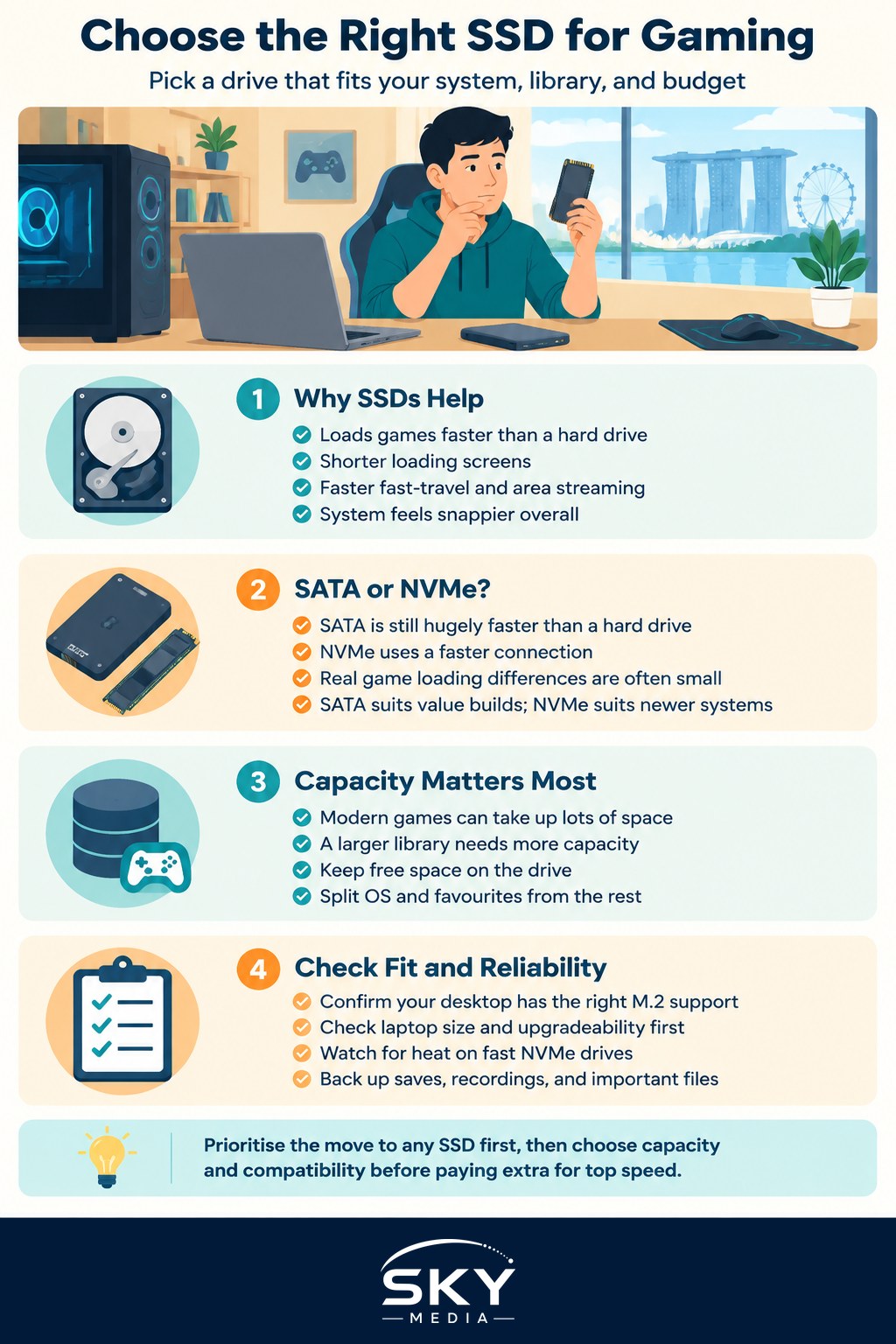
Why an SSD Matters for Games
A solid-state drive has no moving parts. It reads data electronically rather than spinning a disc under a physical head, which is why it is dramatically faster at pulling large game files off storage. In practice that means shorter loading screens, faster fast-travel, and less waiting when a game streams in a new area.
The biggest leap is simply moving from a mechanical hard drive to any SSD. That single change transforms load times more than any other storage upgrade. Once you are on an SSD, the differences between drive types become smaller and more situational, which is exactly where people tend to overspend.
SATA Versus NVMe: The Core Choice
There are two main kinds of consumer SSD, and understanding the split saves you money.
| Feature | SATA SSD | NVMe SSD |
|---|---|---|
| Form factor | 2.5 inch or M.2 | M.2 stick, sometimes add-in card |
| Speed | Much faster than a hard drive | Several times faster than SATA |
| Real-world game feel | Excellent | Excellent, occasionally quicker to load |
| Typical cost | Lower | Higher, though gap has narrowed |
| Best for | Older PCs, laptops, value builds | Modern boards, future-facing builds |
A SATA SSD is limited by an older connection standard, yet it is still hugely faster than any hard drive and perfectly good for gaming. An NVMe drive uses a faster connection and can post far higher numbers on paper.
Here is the honest part: in most games today, the difference in actual loading time between a decent SATA drive and a fast NVMe drive is often small. NVMe wins clearly for file transfers, video work, and a handful of newer titles designed to stream assets aggressively. For pure gaming on a budget, a SATA SSD is not a mistake.
Reading the Speed Numbers Sensibly
NVMe drives are sold with big sequential speed figures. Those numbers describe moving one large file and look impressive, but games often rely more on many small reads, where the gap between drives narrows considerably.
Do not chase the fastest possible drive expecting proportional gains in game. A mid-tier NVMe drive frequently feels identical to a top-tier one during play, while costing much less. Save the extra budget for capacity or other parts of your build.
Capacity: Plan for Your Library
Modern games are enormous. A single blockbuster title can occupy a large slice of a small drive, and updates only add to it. Capacity is often the more important decision than raw speed.
Think about how you play:
- Casual, a few games at a time: a moderate drive is fine, and you can uninstall and reinstall as you rotate titles.
- Large active library: go bigger, because constantly juggling installs over a home connection wastes evenings.
- Streaming or content work: add generous space for recordings and clips, which grow fast.
A practical approach in many builds is a smaller fast drive for your operating system and current favourites, plus a larger drive for the rest of the collection. Leave some free space on any SSD as well, because a drive crammed to the brim can slow down.
Check Compatibility Before You Buy
An NVMe M.2 drive only helps if your system can take one. Before purchasing, confirm a few things.
For a Desktop
- Check your motherboard has a free M.2 slot and what standard it supports.
- Note whether installing an M.2 drive disables a SATA port, which some boards do.
- Make sure there is physical room and, for fast drives, some airflow.
For a Laptop
- Confirm the storage is user-replaceable, as many thin models are not.
- Identify the exact drive length your chassis accepts.
Getting this right avoids buying a drive that will not fit or run at full speed. If you are assembling a machine from scratch, planning storage alongside the rest of the parts keeps everything compatible.
A Word on Heat and Newer Features
The fastest NVMe drives can run warm under heavy sustained load and may benefit from a heatsink, which many motherboards now include. For typical gaming, this is rarely a concern, and everyday drives do not need elaborate cooling.
You may also see technologies that let games load assets more directly from a fast drive to the graphics card. Support is growing but still limited, so treat it as a nice bonus for the future rather than a reason to buy the most expensive drive today.
Do Not Forget Endurance and Backups
SSDs are rated for a certain amount of writing over their life, expressed as terabytes written. For ordinary gaming, where you mostly read files rather than rewrite them, you are very unlikely to reach that limit before the drive is long retired. It is worth knowing the term exists, but not worth losing sleep over for a gaming machine.
Reliability is a different matter. Any drive can fail, so keep anything irreplaceable, such as save files, recordings, or personal work, backed up elsewhere. Cloud saves cover many games automatically, but a second copy of your important files on another drive or an online service is cheap insurance. Fast storage is wonderful, yet it is no substitute for a simple backup habit.
Match the Drive to How You Play
The right SSD for gaming is the one that fits your system, holds your library comfortably, and does not blow your budget on speed you will never feel. For most people that means a reliable SATA or mid-range NVMe drive with enough capacity to stop the constant install shuffle. Prioritise the jump to solid-state storage and sensible capacity, treat headline speeds with a pinch of salt, and you will enjoy faster loads for years without paying for numbers that never reach your screen.
Explore more: Building your first gaming PC · How to reduce input lag · Monitor refresh rate and response time
Frequently Asked Questions
Can I keep my games on a hard drive and only use an SSD for Windows? You can, and many people do. The system drive benefits most from an SSD, but you will still wait longer for games stored on a mechanical drive. A common compromise is to keep your current favourites on the SSD and the rest of the library on a larger drive.
Is it possible to put an NVMe SSD into my old laptop? It depends on the laptop. Many thin models have soldered or non-replaceable storage, and others accept only certain drive lengths or standards. Check your model’s specifications for a free M.2 slot, or whether it takes a SATA drive, before you buy.
How much free space should I leave on a gaming SSD? Leave a fair amount empty rather than filling it to the brim, since a nearly full drive can slow down. There is no single magic figure, so as a habit, uninstall games you have finished and keep room for updates, which can be large.
Does a heatsink matter for an NVMe SSD in a gaming PC? For ordinary gaming it rarely matters. The fastest drives can run warm under heavy sustained writing, and many motherboards already include a heatsink for the M.2 slot. If yours does, use it; otherwise everyday drives usually do not need elaborate cooling.
Are SSDs reliable enough that I do not need backups? No. SSDs are durable for gaming, but any drive can fail without warning. Keep irreplaceable files such as recordings, personal work and anything not covered by cloud saves copied to another drive or an online service. A backup habit costs little.