
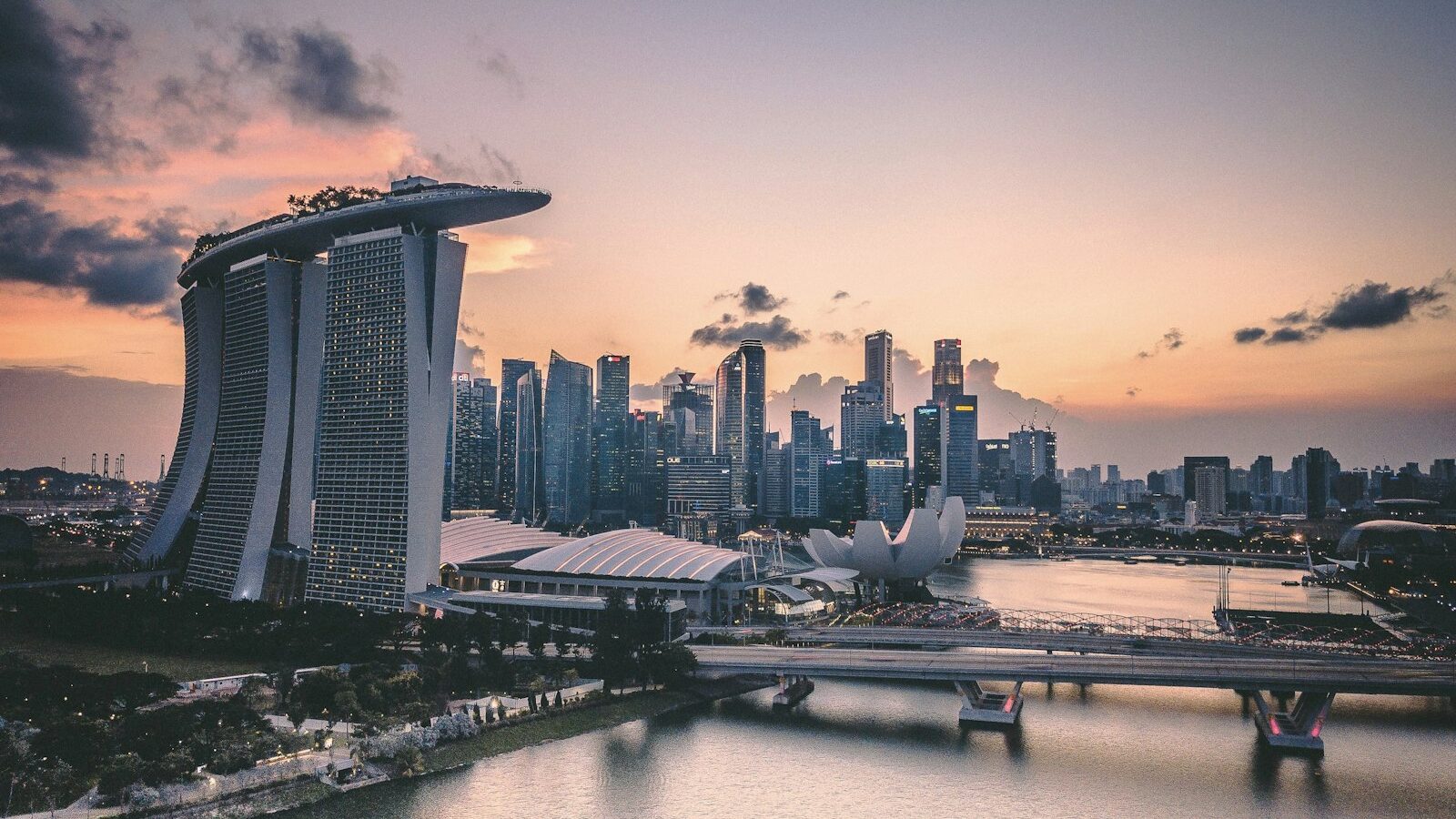
There is something quietly magical about a time-lapse. Clouds race over the Marina Bay skyline, a sunset burns through its colours in seconds, crowds flow like water through a station. A time-lapse works by capturing frames at set intervals over a long period, then playing them back at normal speed, so hours of slow change compress into a few dramatic seconds. The good news is that your phone almost certainly has a time-lapse mode built in, and a dedicated camera gives you even more control. Either way, the technique is far more approachable than the results suggest.
This guide keeps things practical for both phone shooters and dedicated-camera owners, and it is grounded in the light, weather and locations we actually film in around Singapore.
How a Time-Lapse Actually Works
A normal video records many frames every second. A time-lapse instead takes one frame every few seconds, or even every minute, and then strings those frames together at a normal playback rate. Because you gathered them slowly, playback speeds time up dramatically.
Two numbers decide the result. The first is the interval, the gap between each captured frame. A short interval of one or two seconds suits fast subjects like traffic. A long interval of many seconds suits slow subjects like drifting clouds or a sunset. The second is the total duration you film for, which sets how much change you capture. A three-second clip playing at thirty frames per second needs ninety frames, so you can work out how long to shoot from your interval.
You do not have to do that maths on a phone, where the time-lapse mode handles it for you. On a dedicated camera you set the interval yourself, which is what makes cameras more flexible for demanding scenes.
Planning Your Time-Lapse
The best time-lapses are planned, because you commit your gear to one spot for a long stretch. Choose a subject with visible movement over time: clouds building before a monsoon storm, the sun setting behind the city, headlights streaming along an expressway, or the tide creeping in at East Coast.
Think through a few things before you set up:
- Movement in the frame. Static scenes make dull time-lapses. Look for clouds, water, traffic, crowds or changing light.
- A stable composition. You will hold this frame for a long time, so compose carefully using leading lines and a strong foreground.
- Changing light. Sunrise and sunset are gold because the light transforms as you film, which is exactly what a time-lapse celebrates.
- Battery and storage. Long captures drain both, so start with a full charge and plenty of free space.
Setting Interval and Duration
Match your interval to how fast your subject moves. This table gives sensible starting points; adjust to taste.
| Subject | Suggested interval | Rough shooting time | Notes |
|---|---|---|---|
| Fast traffic, crowds | 1 to 2 seconds | 5 to 15 minutes | Short interval catches quick motion |
| Sunset or sunrise | 2 to 4 seconds | 30 to 45 minutes | Cover the whole light change |
| Drifting clouds | 3 to 5 seconds | 20 to 40 minutes | Longer interval for slow drift |
| Building or crowd over a day | 20 to 30 seconds | Several hours | Needs power and lots of storage |
| Stars and night sky | 20 to 30 seconds | 1 to 2 hours | Long exposures, dark location |
Read it as a menu: shorter intervals for fast motion, longer intervals for slow change. When in doubt for a general scene, an interval of two to three seconds is a reliable default. On a phone’s automatic mode, simply film longer for slower subjects and the app adjusts.
Shooting It Steady
A time-lapse lives or dies on stability, because every frame must line up perfectly.
- Mount it solidly. A tripod is essential. On a phone, use a phone clamp on a tripod. Our guide to choosing a tripod helps you pick one that will not creep.
- Lock your focus and exposure. Set focus and brightness before you start and lock them, so the frames do not flicker as light shifts. On a phone, tap and hold to lock. On a camera, switch to manual focus and manual exposure.
- Turn off image stabilisation on a tripod. Ironically, stabilisation can cause tiny shifts between frames when the camera is already locked down.
- Frame with room. Compose a fraction wider than you need, in case anything nudges the setup.
- Start and wait. Begin the capture and leave it undisturbed. Do not bump the tripod or you will ruin the sequence.
- Watch the light. For a sunset, the exposure will change a lot; some cameras handle this, while a simple phone mode may let highlights blow out, so favour starting a little before the peak light.
For a moving version, a hyperlapse, you take steps between frames to travel through a scene. Keep the same reference point in frame each time and move only a small, even distance between shots.
Time-Lapse in Singapore
Our setting offers superb subjects and a few specific hazards.
- Storm clouds and monsoon skies. The build-up before a downpour makes dramatic cloud time-lapses. Watch the weather and protect your gear, because the rain can arrive fast.
- Short golden hour. Near the equator the best light passes quickly, so arrive early, compose, and be rolling before it peaks.
- Humidity and lens fogging. Moving from air conditioning into the heat fogs your glass, and a foggy first frame ruins the sequence. Let gear acclimatise fully before you start.
- Great vantage points. The Marina Bay skyline, Gardens by the Bay, and elevated walkways offer sweeping views, but check each venue’s rules first, since some restrict tripods and parks and nature reserves follow NParks guidance.
- Safety at night. For star or city night time-lapses, mind your surroundings, tell someone where you are, and do not trespass or block walkways with your setup.
Bringing It Together
Once captured, most phones deliver a finished time-lapse video straight away. From a camera’s individual frames, you assemble them into a clip in editing software, which is where our guides to editing videos on your phone and to frame rates and shutter connect the dots. You can then trim the dull ends and add music to lift it.
A time-lapse rewards patience more than expensive gear. Pick a scene with real movement, mount your phone or camera rock steady, lock focus and exposure, choose an interval that suits the speed of your subject, and let time do the work. Watch hours of a Singapore sky collapse into a few glorious seconds and you will be hooked.
Explore more: how to choose a tripod, editing videos on your phone, understanding frame rates and shutter for video, and how to shoot slow-motion video.