

When someone’s heart stops, every minute without CPR and a shock from an AED (automated external defibrillator) lowers their chance of survival. An ambulance in Singapore is usually on its way quickly after a 995 call, but a neighbour who is already downstairs can reach the person sooner. That is the idea behind the myResponder app, built by the Singapore Civil Defence Force (SCDF) to connect ordinary people with emergencies happening right around them.
This guide is a practical walk through of the myResponder app: what it does, how to set it up, what happens when you get an alert, and how to find the nearest AED whether or not you have the app open. It is not a substitute for proper CPR and AED training, and it is not medical advice.
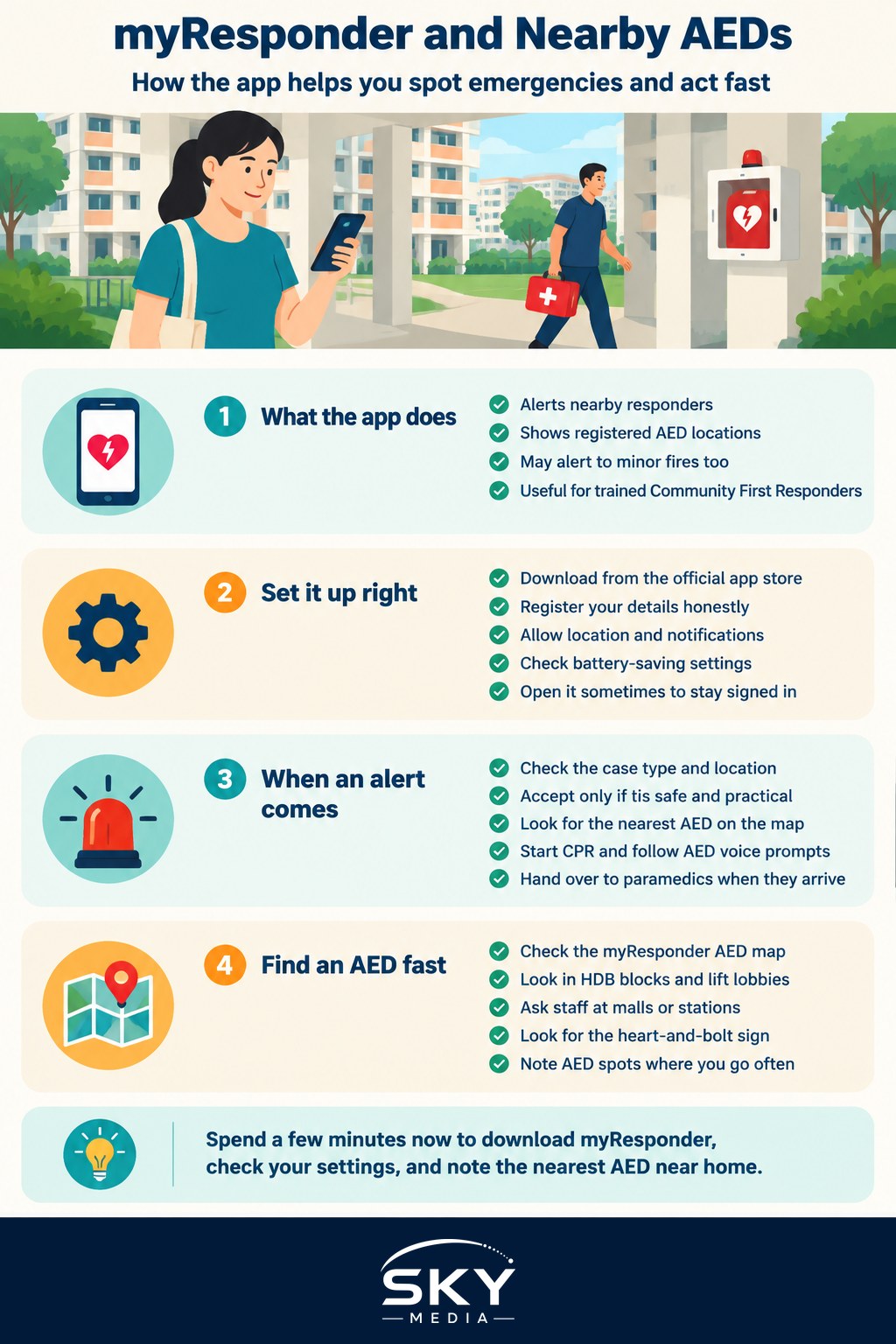
What the myResponder App Does
myResponder is a free app from SCDF. Its main jobs are:
- Alerting nearby responders. When someone calls 995 to report a suspected cardiac arrest in a public place or a home, SCDF can send an alert to app users who are close by. The alert shows the location so a responder can get there quickly, start CPR and bring an AED if one is near.
- Showing AED locations. The app has a map of registered AEDs, so you can see where the closest one is.
- Minor fire alerts. The app may also alert users to minor fires nearby, such as a rubbish chute fire, where a responder could help with a fire extinguisher if it is safe to do so.
Anyone can download it, but it is most useful when people with CPR and AED training register and keep alerts switched on. SCDF calls these people Community First Responders.
Setting Up the App Properly
Setting up takes a few minutes, but a few settings decide whether you will actually receive alerts.
- Download myResponder from the official app store for your phone, and check that the publisher is SCDF.
- Register your details. You may be asked whether you have CPR and AED certification. Be honest; untrained users can still help, for example by fetching an AED.
- Allow location access. Alerts depend on knowing where you are. If you restrict location, you may not receive alerts when you are nearby.
- Allow notifications and make sure they can sound even when your phone is on silent or focus mode, if your phone settings permit it.
- Check battery settings. Some phones put apps to sleep to save power. Exempt myResponder from aggressive battery optimisation so alerts are not delayed.
It is worth opening the app once in a while to make sure it is still logged in and up to date.
What Happens When You Get an Alert
An alert can come at any time: on your way to work, at the hawker centre, or late at night. You are never obliged to respond, and you should only go if it is safe and practical.
| Step | What you see or do | Why it matters |
|---|---|---|
| Alert arrives | The app shows the type of case and the location | Decide quickly if you can go safely |
| Accept the case | Tap to accept so SCDF knows someone is coming | Avoids too many or too few responders |
| Grab an AED on the way | Check the app’s AED map for the closest device | A shock delivered early can restart the heart |
| Arrive and act | Start CPR, switch on the AED and follow its voice prompts | The AED guides you step by step |
| Hand over | When paramedics arrive, tell them what you did and step back | Ensures smooth continuation of care |
If you arrive and someone is already doing CPR, offer to take turns. CPR is tiring, and swapping every couple of minutes keeps compressions effective. If you are the first person there and have not been trained, the 995 dispatcher can talk you through hands only CPR on the phone.
After a case, it is normal to feel shaken, even if things went well. Talk to someone you trust, and reach out to a professional if the feelings linger. SCDF and community organisations also recognise responders who help.
Finding the Nearest AED, With or Without the App
AEDs are now common in Singapore, but people often walk past them without noticing. Knowing where they tend to be placed helps in an emergency.
Where AEDs Are Commonly Found
- HDB blocks. Many HDB blocks have an AED installed, usually at the void deck or near the lift lobby, in a marked cabinet. Not every block has one, so learn where the nearest one is to your own block.
- MRT stations and bus interchanges. Look near the passenger service centre or station control room.
- Shopping malls and office buildings. Often near the information counter, security post or lift lobbies.
- Community centres, sports facilities and schools. ActiveSG sports centres, swimming complexes and community clubs commonly have one.
- Some workplaces and condominiums. Ask your building management or MCST, the management council that runs a condo, where theirs is kept.
Simple Ways to Locate One Fast
- Open the myResponder AED map. It shows registered devices near your location.
- Ask others to search while you start CPR. Send one person to look and another to call 995.
- Ask staff. Security guards, station staff and mall counter staff usually know where the AED is.
- Look for the sign. AED signs typically show a heart with a lightning bolt.
A good habit is to note the nearest AED at places you spend a lot of time, such as your block, office, gym and your child’s school. Then you are not searching from scratch in a crisis.
Getting Trained So You Can Respond Confidently
The app works best when users know what to do. CPR and AED courses are offered by various providers, and some community programmes run shorter sessions for residents. Look for courses that lead to recognised certification, and refresh your training regularly because skills fade.
If you have not trained yet, you can still help:
- Call 995 immediately and follow the dispatcher’s instructions.
- Fetch the nearest AED and switch it on; it speaks instructions aloud.
- Keep the area clear and direct paramedics when they arrive.
Tips for Families and Newcomers
- Save 995 and 1777 correctly. 995 is for emergencies such as cardiac arrest, fires and serious injuries. 1777 is the non-emergency ambulance number. When in doubt about a life threatening emergency, call 995.
- Teach older children where the AED is. They can fetch it and help adults, in a calm and age appropriate way.
- Domestic helpers and elderly parents can benefit from knowing the nearest AED and the 995 number, too.
- Keep your app updated. Feature details and alert settings may change over time, so check SCDF’s official website for the latest guidance on how myResponder works.
Like other everyday apps such as OneService for reporting estate issues or the Singpass app, myResponder only helps if it is installed and set up before you need it. Spend five minutes today downloading it, checking its permissions and finding the AED nearest to your home. It is a small step that could make a big difference to someone in your neighbourhood.
Frequently Asked Questions
Am I legally protected if I help someone with CPR or an AED? Singapore has provisions meant to protect people who help in good faith in an emergency, but the details matter. Check SCDF’s official guidance for the current position. In practice, call 995, follow the dispatcher and use the AED’s prompts.
Does myResponder drain my phone battery? Alerts need location access and notifications, which can use some battery, though the effect varies by phone and settings. Do not switch off permissions just to save power, since that stops alerts. Exempting the app from battery restrictions is generally the better route.
Can I use an AED on a child? Yes, if the person has collapsed and is not breathing normally. Many AEDs have child pads or a child setting, and the device gives spoken instructions. Use child pads if they are available, and if not, the adult ones are better than no shock.
Can an AED hurt someone whose heart is still beating? An AED analyses the heart rhythm itself and only advises a shock when one is needed, so it will not shock a normal rhythm. Follow its voice prompts and make sure nobody is touching the person when it says to stand clear.
Can foreigners and domestic helpers use myResponder too? Anyone can download the app, and it can be useful to people who live or work in your area, whatever their nationality. Those with CPR and AED training can respond to alerts, while untrained users can help by fetching an AED. Check SCDF for current registration details.
Official sources: Singapore Civil Defence Force (SCDF)