

If your home is filling up with devices that plug in by cable, a smart TV, a games console, a work laptop, a media box, you may run out of network ports on your router. That is where a small, inexpensive box called a network switch comes in. For anyone getting to grips with network switches singapore homes can use, this guide explains what they do, when you actually need one, and how to add one without causing headaches, all in plain language.
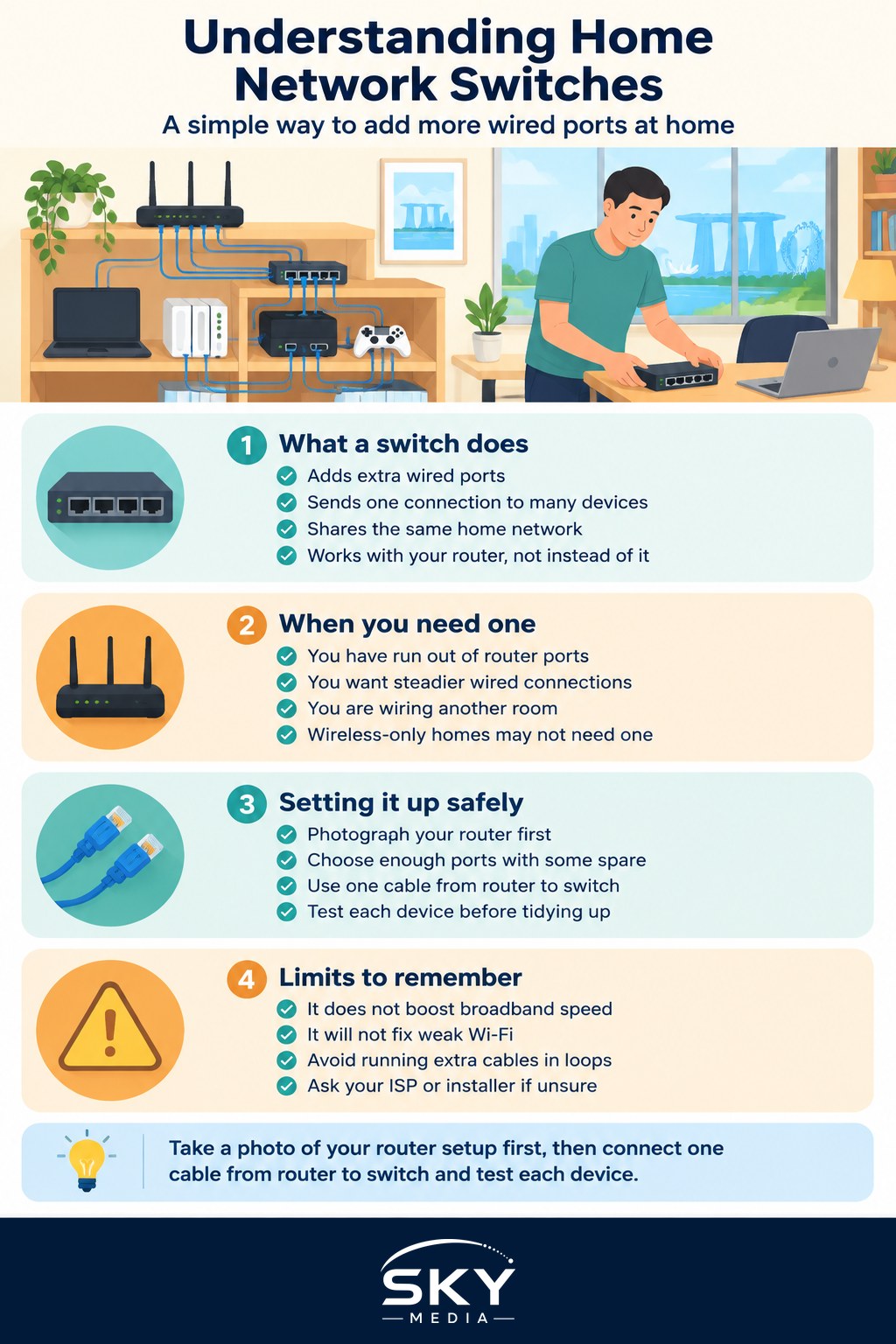
What a Network Switch Does
A network switch is best thought of as a power strip, but for network cables instead of electricity. Your router usually has only a few wired ports on the back. When you need more, a switch gives you extra ports so you can plug in more devices at once.
Here is the simple picture. Your router connects to the internet and manages your whole home network. A network cable runs from one of the router’s ports to the switch. The switch then fans that single connection out into several ports, and each of those can feed a device. Everything plugged into the switch shares the same network and internet as the rest of your home.
A switch does not replace your router. The router is still the brain that connects you to the internet and hands out addresses. The switch simply adds more wired seats at the table. Because wired connections are steadier and often faster than Wi-Fi, a switch is popular with anyone who wants rock solid connections for a desk, a TV corner, or a home office. If wiring your home interests you, wiring your home with Ethernet and powerline goes deeper.
When You Actually Need One
You do not need a switch just because it exists. Reach for one only when you have a real need. Common signs include:
- You have run out of ports on your router. This is the classic reason. A cluster of wired devices in one room, such as a TV console, quickly uses up ports.
- You want reliable wired connections for things that matter, like a work computer or a games console, rather than relying on Wi-Fi.
- You are extending your network to another room and want several wired devices at the far end from a single cable run.
If your needs are mostly wireless, a switch will not help, and improving your Wi-Fi is the better path. In that case, home Wi-Fi and mesh networking is more relevant. It also helps to understand how the pieces fit together, which understanding modems vs routers explains clearly.
Most homes do fine with a simple, unmanaged switch. This is the plug and play type. You do not configure anything, you just connect the cables and it works. Managed switches, with settings and menus, are aimed at businesses and enthusiasts, and are usually more than a household needs.
Setting One Up Safely
Adding a switch is one of the easier home network jobs, but a little care keeps things smooth. Take these steps:
- Note your current setup first. Before you unplug anything, take a photo of the back of your router so you know which cable went where. If something stops working, you can put it back exactly.
- Pick the right size and speed. Count how many devices you need to plug in and choose a switch with a few extra ports for the future. For speed, look for a gigabit switch so it does not slow down fast devices.
- Connect it correctly. Run one cable from a spare port on your router to any port on the switch. Then plug your devices into the remaining switch ports. Power it on and it should just work.
- Test each device. Check that everything connects and reaches the internet before you tidy the cables away.
A switch itself has no admin password or Wi-Fi to secure, which is one reason it is beginner friendly. Your security still lives on the router, so make sure you have changed the default router admin password and taken the usual precautions covered in securing your home network. Do not expose your network by opening settings you do not understand on the router side.
A Few Honest Cautions
Keep your expectations grounded. A switch adds ports and reliable wired links, but it does not increase the speed of your broadband plan, and it will not fix weak Wi-Fi. If your internet is slow because of your plan or your router placement, a switch changes nothing about that.
Avoid creating loops by accident, such as running two cables between the same devices, as that can confuse the network. Stick to one cable from the router to the switch, and one cable from the switch to each device. And if you find yourself unsure, or your setup is more complex than a couple of extra ports, there is no harm in asking your broadband provider or a professional installer. They can wire things neatly and make sure your network stays healthy.
The Bottom Line
A network switch is a cheap, simple way to add more wired ports to your home when your router runs out. Reach for one when you have several devices that benefit from a steady cable connection, choose a plug and play gigabit model with a few spare ports, and note your existing setup before you rearrange cables. Keep your security on the router, do not touch settings you do not understand, and call your ISP or a professional if you get stuck. Handled this way, adding network switches in Singapore homes is a small upgrade that pays off with steadier connections where they matter most.
Frequently Asked Questions
Can I connect a switch to a mesh Wi-Fi system? Often yes, if your mesh unit has a wired port that can feed the switch. Some systems behave differently depending on the unit, so check the manual. Keep to one cable from the mesh unit to the switch to avoid network loops.
Does a network switch need its own power adapter? Most small home switches use a power adapter, though some can draw power over the network cable from compatible equipment. Check the product details of the model you choose. Place it somewhere ventilated rather than tucked away in a hot cabinet.
How many ports should a home switch have? Count the wired devices you have now and add a few spare ports for the future. Small home setups often manage with a handful of ports. Choose a gigabit model so it does not hold back faster devices.
Is a switch the same as a Wi-Fi extender? No. A switch adds wired ports, while an extender repeats a Wi-Fi signal wirelessly. If your problem is poor coverage in a room, an extender or mesh system helps. If you need more cable connections, a switch is the tool.
Will a switch slow down my internet speed? A decent gigabit switch should not noticeably slow a typical home connection. Slowdowns more often come from your plan, Wi-Fi or old cables. If you suspect the switch, plug a device straight into the router to compare.