

Every time you tap your phone or card to pay, board a bus, or unlock a door, there is a good chance a small piece of technology called NFC is doing the work. Most people use it daily without ever thinking about it. This guide offers NFC explained in plain language for a Singapore audience, covering what it is, the everyday things it powers, and a few simple habits to keep it useful and safe.
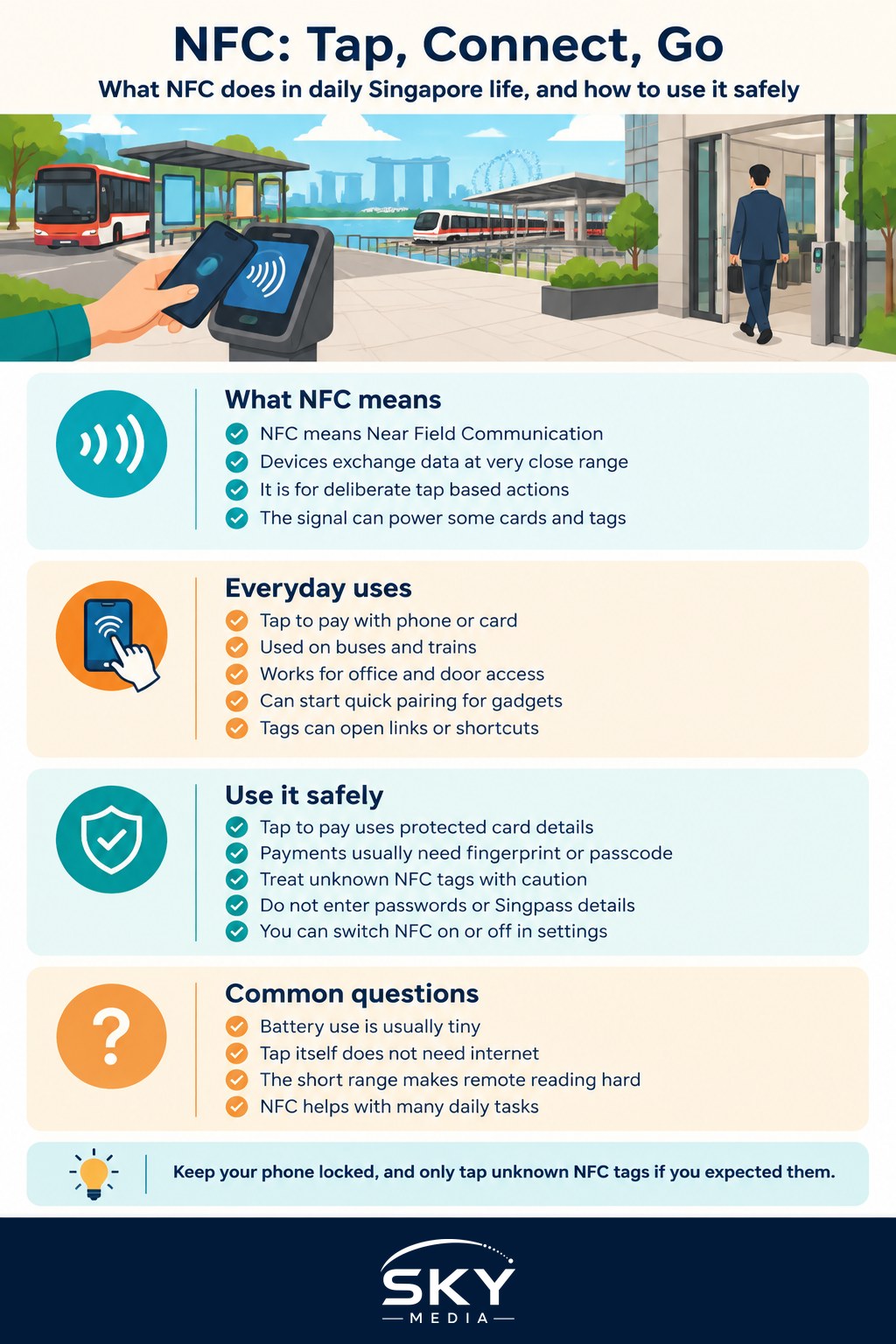
What NFC Is in Plain Words
NFC stands for Near Field Communication. The name actually tells you most of what you need to know. It is a way for two devices to exchange a small amount of information when they are very close together, usually within a few centimetres. That short range is the whole point. Because the devices must almost touch, NFC is used for deliberate, tap based actions rather than connections across a room.
You can think of NFC as a very short, very quick conversation between two things. One side, such as a payment terminal or a door reader, sends out a gentle signal. The other side, your phone or card, responds when it comes close enough. The exchange happens in a moment, which is why tapping feels so instant.
A helpful comparison is Bluetooth, which many people know from wireless earbuds. Bluetooth works across a whole room and is good for streaming continuous data like music. NFC works only at a touch and is good for a quick handshake. They solve different problems. If Bluetooth ever gives you trouble, our guide to Bluetooth troubleshooting and pairing can help.
One neat detail is that many NFC tags and cards do not need their own battery. The reader briefly powers them through the signal itself. That is how a plastic card with no battery can still respond when tapped.
The Everyday Things NFC Powers in Singapore
Once you know what to look for, you will notice NFC everywhere in daily Singapore life. Here are the most common uses.
- Contactless payments. Tapping your phone or card at a checkout uses NFC. This is the technology behind services like Apple Pay and Google Pay, and behind the tap and go feeling of a contactless bank card. Our guide to tap to pay and contactless cards explains this side in more detail.
- Public transport. Tapping in and out on buses and trains relies on the same tap based idea, letting the reader and your card or phone communicate in an instant.
- Access and identity. Office building passes, condo lift access, and some digital door locks use NFC so a card or phone can unlock them with a tap.
- Quick pairing and setup. Some speakers, earbuds, and other gadgets let you tap your phone against them to start pairing, saving you from digging through menus.
- Information tags. Small NFC stickers, called tags, can hold a tiny bit of information. A tap might open a website, share contact details, or trigger a shortcut on your phone.
The thread running through all of these is the same: a deliberate tap that starts a quick, short range exchange. Once you recognise that pattern, NFC stops feeling mysterious.
How to Use NFC Safely and Well
NFC is convenient, and the short range is itself a built in safety feature, since a device generally has to be almost touching to communicate. Still, a few sensible habits keep things smooth and secure.
First, understand that payment security does not rely on secrecy of the tap alone. When you pay with your phone, the actual card number is usually replaced with a protected substitute, and the payment is confirmed by your fingerprint, face, or a passcode. That is why tapping to pay is generally safe. Keep your phone locked and your payment app protected, and never disable the confirmation step. Our overview of using Apple Pay and Google Pay covers setting this up properly.
Second, be a little cautious with unknown NFC tags. Because a tag can tell your phone to open a link, treat a random sticker inviting you to tap it the way you would treat an unexpected link in a message. If you did not expect it, do not tap it. Scammers can misuse tap prompts and links to send you to fake websites. If a tap ever opens something asking for passwords, one time passwords, or Singpass details, stop and do not enter anything. Learn more in our guide to spotting a fake website.
Third, you can usually turn NFC on or off in your phone settings. Many people leave it on because payments and transport rely on it, and the short range keeps risk low. If you prefer, you can switch it off when you know you will not need it, though for most people leaving it on is perfectly reasonable.
Common Questions and a Practical Wrap-Up
A few quick points often come up. Does NFC drain your battery? The effect is tiny, so it is rarely worth worrying about. Do you need internet for NFC to work? The tap itself does not, though a payment or an action that opens a website will need a connection at some point. Can someone secretly read your card from across the room? The extremely short range makes casual remote reading very difficult, which is one reason the technology is trusted for payments.
The practical takeaway is reassuring. NFC is the quiet, short range tap technology behind a huge amount of everyday Singapore convenience, from paying for kopi to boarding the MRT. You do not need to manage it actively. Simply keep your phone locked and updated, protect your payment apps, and stay alert to unexpected tags or links. With those easy habits, NFC will keep doing its job in the background, exactly as it is meant to.