

More employers in Singapore now ask for a short video alongside a written application, either as an optional “tell us about yourself” clip or a required portal upload. These video resume tips focus on that specific task: recording a short, pre-made self-introduction that you control from start to finish. It is different from a live video interview, where someone asks you questions in real time. Here, you plan the script, choose the take and press upload when you are happy.
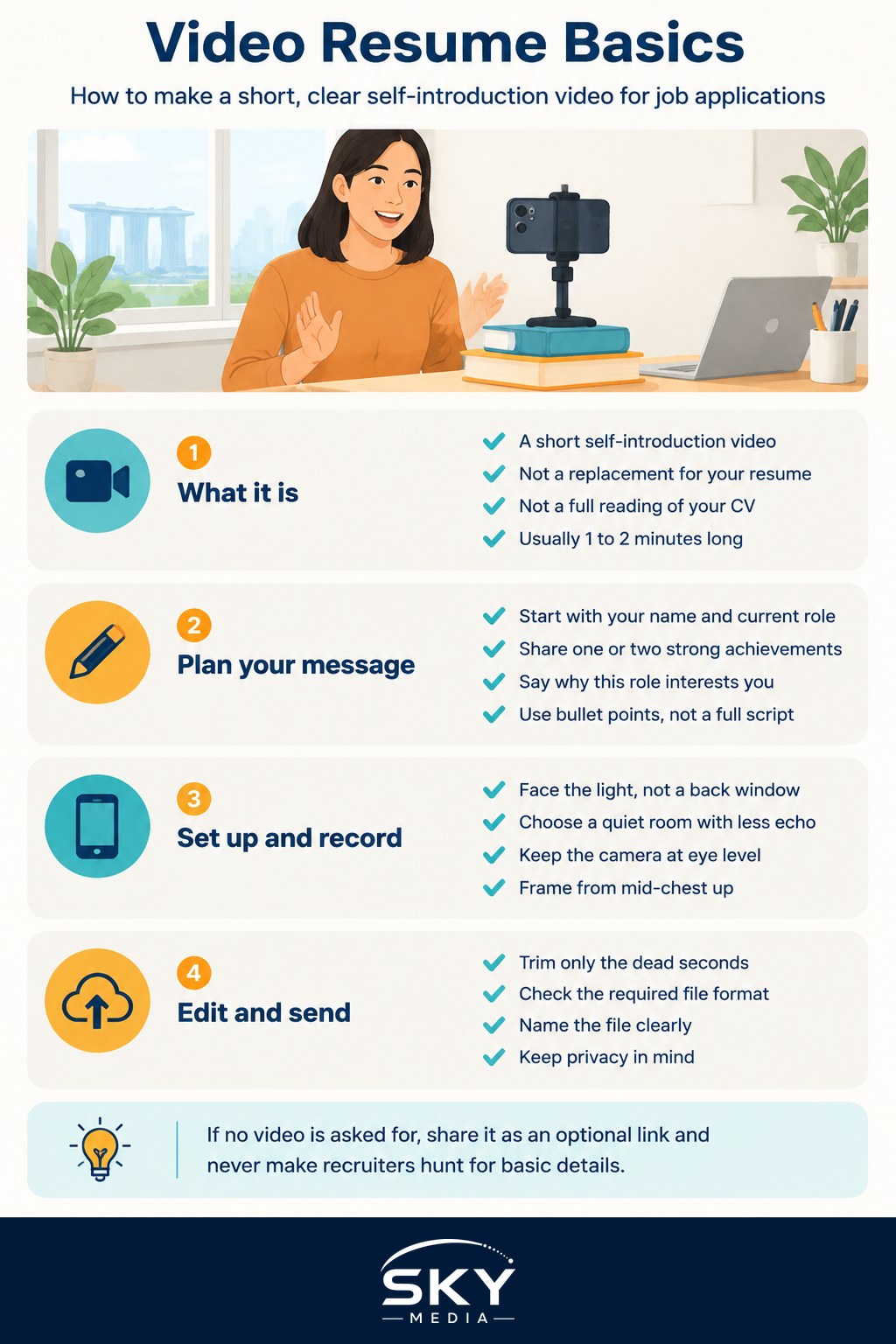
What a Video Resume Is (and Is Not)
A video resume, also called a video CV or self-introduction video, is a short recording in which you introduce yourself, explain what you do well and say why you are interested in a role or field. It usually runs between one and two minutes unless the employer states otherwise.
It is not:
- A replacement for your written resume. Recruiters still screen documents, and many applicant tracking systems only read text. The video sits beside your resume, not instead of it.
- A recorded reading of your resume. Repeating every job title wastes the format. Use the video for what paper cannot show: how you communicate, your energy and a story or two.
- A one-way interview. Timed, auto-recorded question portals follow their own rules, though many tips here still apply.
If an employer gives instructions, such as a time limit or questions to answer, follow them exactly.
Plan Your Message Before You Press Record
Most weak videos fail at the planning stage, not the filming stage. Before you set up a camera, write a simple outline.
A structure that works for most roles:
- Opening (10 to 15 seconds). Your name, what you do now and the type of role you are applying for. Example: “Hi, I’m Wei Ling. I’m a customer operations executive with four years in e-commerce, and I’m applying for your service lead role.”
- Your strongest proof (30 to 45 seconds). One or two achievements, told briefly with a result. Numbers help when they are real and you can back them up. Our guide on how to quantify achievements on your resume shows how to turn duties into measurable results.
- Why this role (15 to 20 seconds). Something specific about the company, team or work that genuinely interests you.
- Close (5 to 10 seconds). A short thank-you and a pointer to your resume or portfolio.
Tailor the middle section for each application where you can. A logistics firm and a design agency care about different strengths, and the same principle from tailoring your resume for each job applies on camera too.
Write bullet points rather than a full script, then rehearse aloud three or four times and time yourself.
If you use an AI tool to help brainstorm your outline, treat its draft as a starting point and rewrite it in your own words. Recruiters can usually tell when a speaker is reciting generic phrasing. Our piece on using AI for job hunting and resumes covers where these tools help and where they backfire.
Setting Up: Light, Sound and Framing
You can record a perfectly good video on a recent smartphone or laptop. What matters more is the setup around it.
- Light from the front. Sit facing a window or a lamp, not with a window behind you. Backlighting turns you into a silhouette. In Singapore, strong afternoon sun can be harsh, so a curtained window or a cloudy day gives softer light.
- Quiet room, soft surfaces. Sound matters more than picture. Close windows to cut traffic, aircon units and void-deck noise, switch off fans that hum, and record in a room with curtains or furniture to reduce echo. A basic clip-on microphone that plugs into your phone is a worthwhile buy if you plan to record several videos.
- Camera at eye level. Prop your phone or laptop on books so the lens is level with your eyes. Looking down into a camera is unflattering and feels less direct.
- Frame from mid-chest up. Leave a little space above your head and keep yourself roughly centred. Record in landscape unless the employer asks for vertical video.
- Simple background and suitable clothes. Use a plain wall or tidy corner, and dress as you would for an interview there. Solid colours suit the camera best.
Recording and Delivery Tips That Make a Difference
When you are ready to film, keep these points in mind:
- Look at the lens, not the screen. It feels odd, but it is what creates eye contact for the viewer. A small sticker beside the lens can remind you.
- Slow down slightly. Nerves speed people up. Pause between sections and breathe.
- Smile at the start and end, and use small, natural gestures within the frame.
- Do several takes. Record three to five full takes, then pick the best one. Do not chase perfection: a small stumble you recover from well is fine and sounds human.
- Watch it back with the sound on and off. With sound off, check body language and framing. With sound on, check clarity and pace.
Many of the same habits that make you look good on a work call carry over here. See running better video calls for more on lighting, audio and camera presence.
Common Mistakes Compared With Better Approaches
| Common mistake | Why it hurts | Better approach |
|---|---|---|
| Reading a full script off the screen | Eyes drift, voice sounds flat | Speak from short bullet notes and look at the lens |
| Going well past the time limit | Signals you cannot follow instructions | Stay within the stated limit, or aim for 60 to 120 seconds |
| Listing every past job | Repeats the resume and loses interest | Pick one or two achievements with a clear result |
| Backlit room with echo | Hard to see and hear you | Face the light, record in a quiet room with soft surfaces |
| Same video sent to every employer | Feels generic and unmotivated | Change the “why this role” section for each application |
| Heavy music, effects or filters | Distracts from you | Keep editing minimal: trim the start and end only |
Editing, File Format and Sharing
Light editing is enough: trim the dead seconds at the start and end with your phone’s built-in editor. Skip music, filters and transitions unless editing skill is part of the job.
Before you send:
- Check the required format and size. Portals often specify accepted file types and a maximum size. If none is stated, a common format such as MP4 is a safe choice.
- Name the file clearly. For example, “Tan-WeiLing-Service-Lead-Intro.mp4”, not “IMG_4821”.
- If sharing a link, upload to a cloud drive or a video platform set to unlisted, and test the link in a private browser window to make sure it opens without a login request.
- Mind your privacy. Do not show your NRIC, home address, unit number or family members in the frame. If you post a video publicly, remember anyone can see and save it. For personal data questions, the Personal Data Protection Commission (PDPC) site explains how organisations should handle the information you share.
When a Video Resume Helps, and When to Skip It
A video adds the most value when the job relies on how you communicate: sales, customer service, teaching, hospitality, media, consulting and client-facing roles. It can also help career switchers and fresh graduates, whose resumes may look thin but who can show enthusiasm and clear thinking on camera.
It may add less value, or even be unwelcome, when an employer has not asked for one and uses a strict, structured screening process. Some hiring teams prefer to avoid videos at early stages to reduce bias. If the job ad says nothing, a short link in your cover letter or email, offered as optional, is a reasonable middle ground. Never force a recruiter to watch a video to find basic information that should be in your resume.
Each video you record will be better than the last, and the comfort on camera you build will help in interviews too.
Frequently Asked Questions
How long should a video resume be? Usually one to two minutes, unless the employer states otherwise. If there is a stated time limit, follow it exactly, since going over signals you cannot follow instructions. Aim for around 60 to 120 seconds, with a short opening, one or two achievements and a close.
Should I read from a script when recording a self-introduction video? It is better to speak from short bullet notes than read a full script, as reading makes your eyes drift and voice flat. Rehearse aloud three or four times, time yourself, and look at the lens rather than the screen to create eye contact.
What should I avoid showing on camera in a video resume? Do not show your NRIC, home address, unit number or family members in the frame. Use a plain wall or tidy corner as the background. If you post publicly, remember anyone can see and save it; the PDPC site explains how organisations should handle your data.
Should I send a video if the employer did not ask for one? It may be unwelcome if the employer uses strict, structured screening, since some teams avoid early-stage videos to reduce bias. A short link in your cover letter, offered as optional, is a reasonable middle ground. Never force a recruiter to watch it for basics.
Which jobs benefit most from a video resume? Roles that rely on how you communicate, such as sales, customer service, teaching, hospitality, media, consulting and client-facing work. It can also help career switchers and fresh graduates, whose resumes may look thin but who can show enthusiasm on camera.