
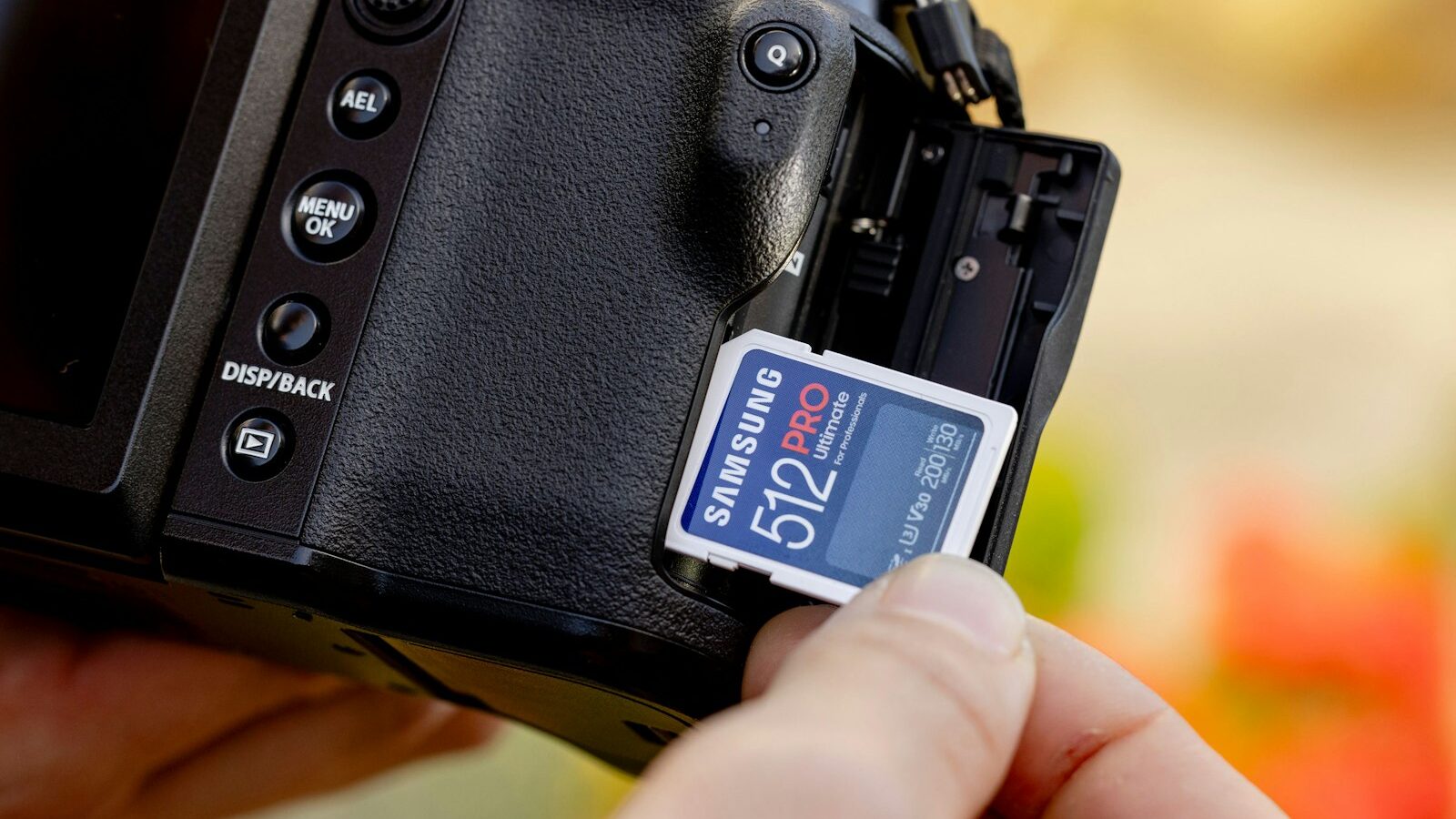
A camera memory card seems like a simple purchase until you see the wall of numbers, letters and logos printed on each one. Pick the wrong one and you could drop frames while filming, wait ages for burst shots to clear, or worse, lose photos to a faulty card. This guide breaks down the ratings that actually matter so you can choose a reliable card for your camera and shooting style.
Why the right card matters
Your camera can only save images as fast as the card can accept them. When you shoot a rapid burst of photos or record high-resolution video, data pours out of the camera in a flood. A slow card cannot keep up, so the buffer fills, the camera stalls and you miss the moment. For video, an underrated card can even stop a recording mid-clip.
Reliability matters just as much as speed. A memory card holds your only copy of a shoot until you back it up, so a card that corrupts data is a serious risk. Choosing a card with the right speed and buying a genuine one from a trusted seller protects both your shooting and your memories.
Card formats: know what your camera takes
The first step is checking which format your camera accepts, because cards are not interchangeable. The most common types today are:
- SD cards (and the physically identical SDHC and SDXC variants) are the standard for most cameras.
- microSD cards are tiny versions used in action cameras, drones and some compact bodies, often with an SD adapter.
- CFexpress and XQD cards are faster, sturdier cards used in higher-end cameras for demanding video and burst shooting.
Check your camera’s manual or the label inside the card slot. Buying the fastest card in the world is pointless if it does not fit or your camera cannot use its speed.
Decoding speed classes and ratings
This is where most confusion lives. Several rating systems appear on a single card, and each describes a different guaranteed minimum speed. The key ones are:
- Speed Class (a number inside a C, such as Class 10) is an older minimum write-speed guarantee.
- UHS Speed Class (a number inside a U, such as U1 or U3) indicates faster minimum speeds for newer cards.
- Video Speed Class (a V followed by a number, such as V30, V60 or V90) states the minimum sustained write speed for video, which is the most useful rating for filming.
- UHS bus (marked as I or II) describes the card’s interface and its maximum potential speed. UHS-II cards have a second row of pins and need a compatible camera to reach full speed.
The big printed number, such as a high megabytes-per-second figure, is usually the maximum read speed, which affects how quickly you offload files rather than how well the card records.
| Card rating | Best suited to | What it guarantees |
|---|---|---|
| Class 10 / U1 | Casual photos, basic video | Modest minimum write speed |
| U3 / V30 | 4K video, action bursts | Faster sustained writing |
| V60 | High-bitrate 4K, light 6K/8K | High sustained writing |
| V90 / UHS-II | Professional and high-resolution video | Top sustained writing |
Match the rating to your needs. A casual shooter is well served by a U3 or V30 card, while serious video work benefits from V60 or V90.
Choosing the right capacity
Capacity, measured in gigabytes, decides how many photos and how much video a card holds. Bigger is not always better. There is a genuine debate about whether to use one large card or several smaller ones.
- One large card is convenient and means fewer swaps, but if it fails you lose everything on it.
- Several smaller cards spread your risk, so a single failure costs you only part of a shoot.
For high-resolution video and long shoots, larger capacities save you from constant swapping. For stills, mid-sized cards often strike the best balance of cost and safety. Whatever you choose, remember that a memory card is temporary storage, not a backup, so copy your files to a computer or drive as soon as you can.
Reliability and avoiding fakes
Counterfeit memory cards are a real problem, especially online. Fakes often claim a large capacity and high speed but deliver far less, and they can corrupt or lose your files without warning. To protect yourself:
- Buy from reputable sellers, whether an established camera shop or an authorised online store, rather than an unknown marketplace listing with a price that looks too good.
- Stick to well-known, genuine brands with a solid track record for reliability.
- Test a new card after buying by filling it and checking the files, so you catch a dud early.
- Keep the warranty details, as trusted brands often back their cards for a long period.
In Singapore’s humid climate, storing spare cards in a dry, protected case also helps them last. Our guide on caring for your camera in Singapore’s humidity has more on protecting your gear.
Practical buying tips
To pull it all together, keep these points in mind:
- Check your camera’s format and maximum supported speed first, so you neither underbuy nor overpay.
- Prioritise the Video Speed Class (V rating) if you shoot video, as it is the most honest guide to sustained performance.
- Own more than one card so you always have a spare and can spread your risk.
- Budget in tiers, since entry cards suit casual use, mid-tier cards handle 4K and bursts, and premium cards serve demanding professional work.
- Format cards in the camera, not the computer, to keep them healthy.
The card that keeps up with you
A camera memory card is a small purchase that has an outsized effect on your shooting. Match the format to your camera, choose a speed rating that suits your photos and video, pick a capacity that balances convenience with safety, and above all buy a genuine card from a seller you trust. Get those right and your camera will never stall at the crucial moment, and your images will stay safe until you back them up. Our guide to essential camera accessories for beginners covers the other small buys that make a big difference.
Explore more: Essential camera accessories for beginners · Caring for your camera in Singapore’s humidity · Choosing your first camera in Singapore