

Most dealings with the Immigration and Checkpoints Authority (ICA) used to mean a desktop browser, a queue number and a trip to the ICA Building in Lavender. Today, a lot of that can start on your phone. The MyICA Mobile app is ICA’s official app, and it brings together several of the agency’s most used e-services, from passport applications to appointment bookings and travel declarations.
This guide explains what the app is for, how to set it up, and which tasks it handles well. Features are updated over time, so treat this as a general walkthrough and check the ICA website for the current list of services.
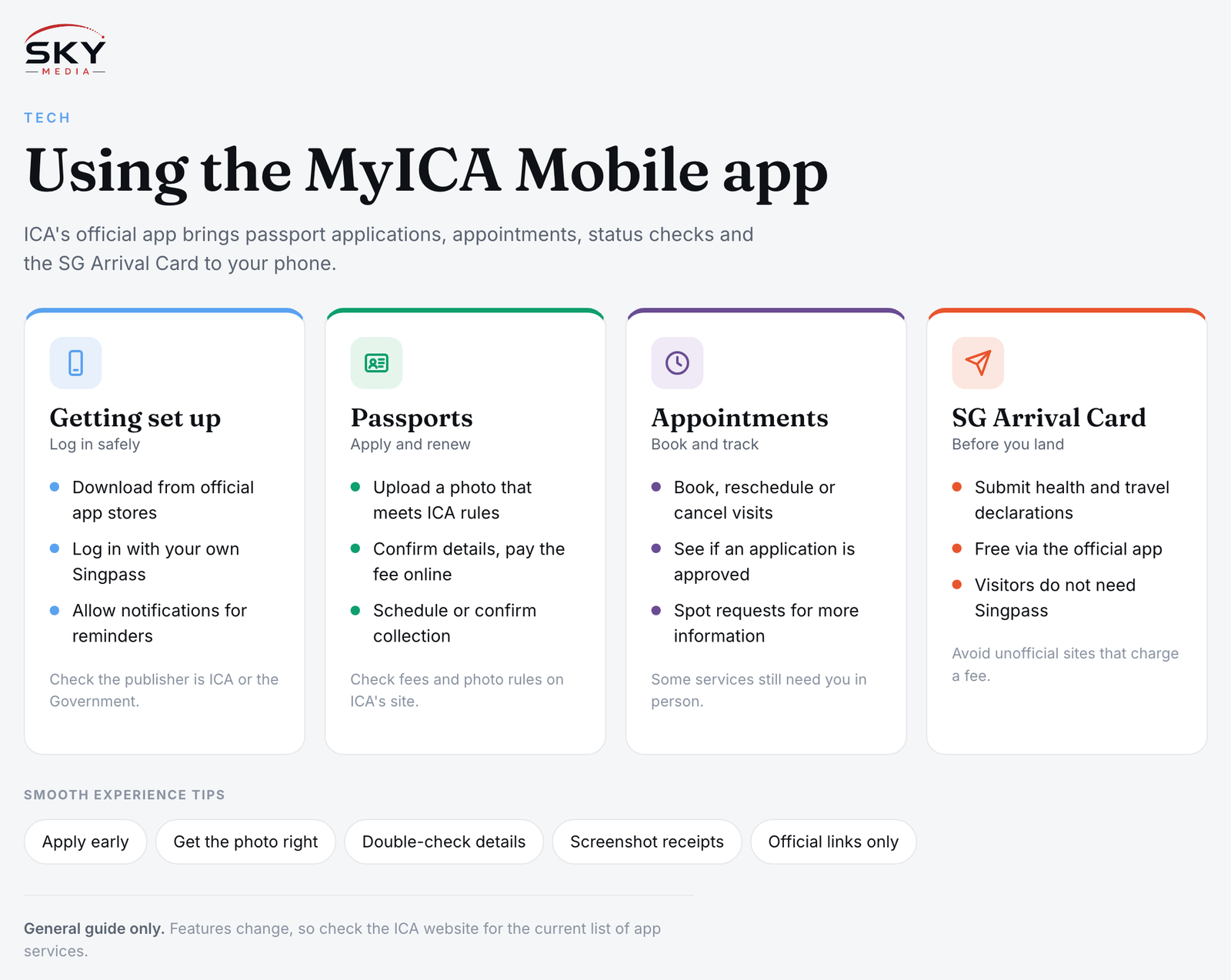
What the MyICA Mobile App Is
ICA is the government agency responsible for Singapore’s borders, passports, identity cards and several types of passes and permits. Over the years it has moved many of its counter services online through its MyICA portal. The MyICA Mobile app is the phone version of that effort, designed so common tasks do not need a computer.
You download it from the official Apple App Store or Google Play Store. Check that the publisher is ICA or the Singapore Government before installing, and be wary of look-alike apps or links sent by message. Government agencies in Singapore use gov.sg addresses for their websites, and ICA’s own site is the safest place to find the correct download link.
The app suits several groups:
- Singapore Citizens applying for or renewing a passport
- Parents handling a child’s passport application
- People who need to book, check or change an appointment at ICA
- Travellers, including visitors, who need to submit the SG Arrival Card before entering Singapore
- Applicants who want to track the status of a submitted application
Logging In and Setting Up
For most personal services, you log in with Singpass, Singapore’s national digital identity. If you have the Singpass app set up, logging in usually means approving the request on your phone, sometimes with face verification. Our guide to using the Singpass app and face verification covers that setup if you have not done it yet.
Some features, such as the SG Arrival Card for foreign visitors, do not need Singpass, because visitors do not have it. In that case you enter your passport and travel details directly.
A few setup tips:
- Keep the app updated, as new services and fixes arrive through updates.
- Allow notifications if you want reminders about appointments or application progress.
- Use your own phone and your own Singpass. Do not let an agent or third party log in on your behalf.
- Have a clear, recent digital photo ready if you plan to apply for a passport, since photo requirements are strict.
Key Features for Passports, Appointments and Status Checks
While the exact menu may change, these are the core tasks most people use the app for.
Passport applications and renewals. Singapore Citizens can typically apply for a new passport or renew an existing one through ICA’s e-service, which the app links to or hosts. You will be asked to upload a photo that meets ICA’s guidelines, confirm your details and pay the fee online. ICA publishes the current fee and photo rules on its website, so check there rather than relying on older advice.
Collecting your passport. After approval, you usually choose a collection method. Depending on what ICA offers at the time, this may be collection at the ICA Building or at designated self-collection points. The app can help you schedule or confirm collection.
Booking and changing appointments. Some services still need you to appear in person, for example to collect a document or have biometrics taken. The app lets you book, view, reschedule or cancel appointments, which saves a phone call or a separate website visit.
Checking application status. Instead of waiting for a letter, you can see whether an application is still being processed, approved or awaiting more information.
SG Arrival Card. Everyone entering Singapore, with some exceptions, needs to submit an electronic arrival card with health and travel declarations before arrival. The app is one of the official ways to do this, and it is free. Be careful of unofficial websites that charge a fee for the same form.
Other services, such as those linked to identity cards, re-entry permits or long-term passes, may also appear in the app over time. Since availability changes, check the ICA website for which services are currently on the app and which are web or counter only.
MyICA Mobile App vs Web Portal vs Counter
Each channel has its place. This table shows how they generally compare.
| Channel | Best for | Things to note |
|---|---|---|
| MyICA Mobile app | Quick tasks on the go, passport renewals, appointments, SG Arrival Card | Needs a smartphone and, for most services, Singpass |
| ICA website and MyICA portal | Longer forms, uploading multiple documents, services not yet in the app | Easier on a larger screen for complex applications |
| ICA Building counter | Collection, biometrics, cases needing face-to-face checks | Usually by appointment only; walk-ins may not be served |
| Authorised self-collection points | Collecting a passport after approval, where offered | Check ICA for current locations and eligibility |
Tips for a Smooth Experience
A few habits make dealing with ICA through your phone far less frustrating.
- Apply early. Do not wait until weeks before a trip to renew a passport. Many countries require at least six months of passport validity on entry, so check the rules for your destination.
- Get the photo right. Rejected photos are a common reason for delays. Follow ICA’s published photo specifications closely, including background colour, lighting and expression.
- Double-check personal details. Typos in names or dates can cause problems at checkpoints later.
- Screenshot confirmations. Keep a copy of reference numbers and receipts in case you need to follow up.
- Use official links only. ICA will not ask you to pay through a messaging app link. If something feels off, go directly to the ICA website or call the official hotline listed there.
Once you have a valid passport registered, you may also be able to use automated or passport-free clearance at the airport. Our explainer on automated and passport-free clearance at Changi walks through how that works.
Help for Seniors, Newcomers and Families
Not everyone finds apps easy. If an older relative needs a passport, family members can help them navigate the app on their own phone, but the applicant should log in with their own Singpass. Community clubs and government service centres sometimes offer digital help desks, and ICA’s website lists alternatives for people who cannot use online services.
For foreigners living in Singapore, many work and family passes are handled by the Ministry of Manpower (MOM) rather than ICA, so the MyICA Mobile app will not cover every pass. Check which agency issues your pass before you start. For identity on the go, citizens and residents can also use the digital IC in the Singpass app in many everyday situations.
Staying Safe and Up to Date
Treat the app like any banking or government app. Keep your phone’s operating system updated, lock it with a PIN or biometrics, and avoid using it on rooted or jailbroken devices. Scammers sometimes pose as ICA officers, so remember that ICA will not ask for your Singpass password or one-time codes over the phone.
Because services, fees and procedures change, always confirm the latest details on the official ICA website before you apply.