

If you have ever seen neighbours comparing step counts at the void deck or colleagues checking their phones after a lunchtime walk, there is a good chance they were using the Healthy 365 app. Run by the Health Promotion Board (HPB), the government agency that drives healthy living programmes in Singapore, it tracks your activity and rewards you for moving more, sleeping better and eating well. This guide walks you through setting it up, syncing a device, joining the National Steps Challenge and turning your effort into rewards.
What the Healthy 365 App Does
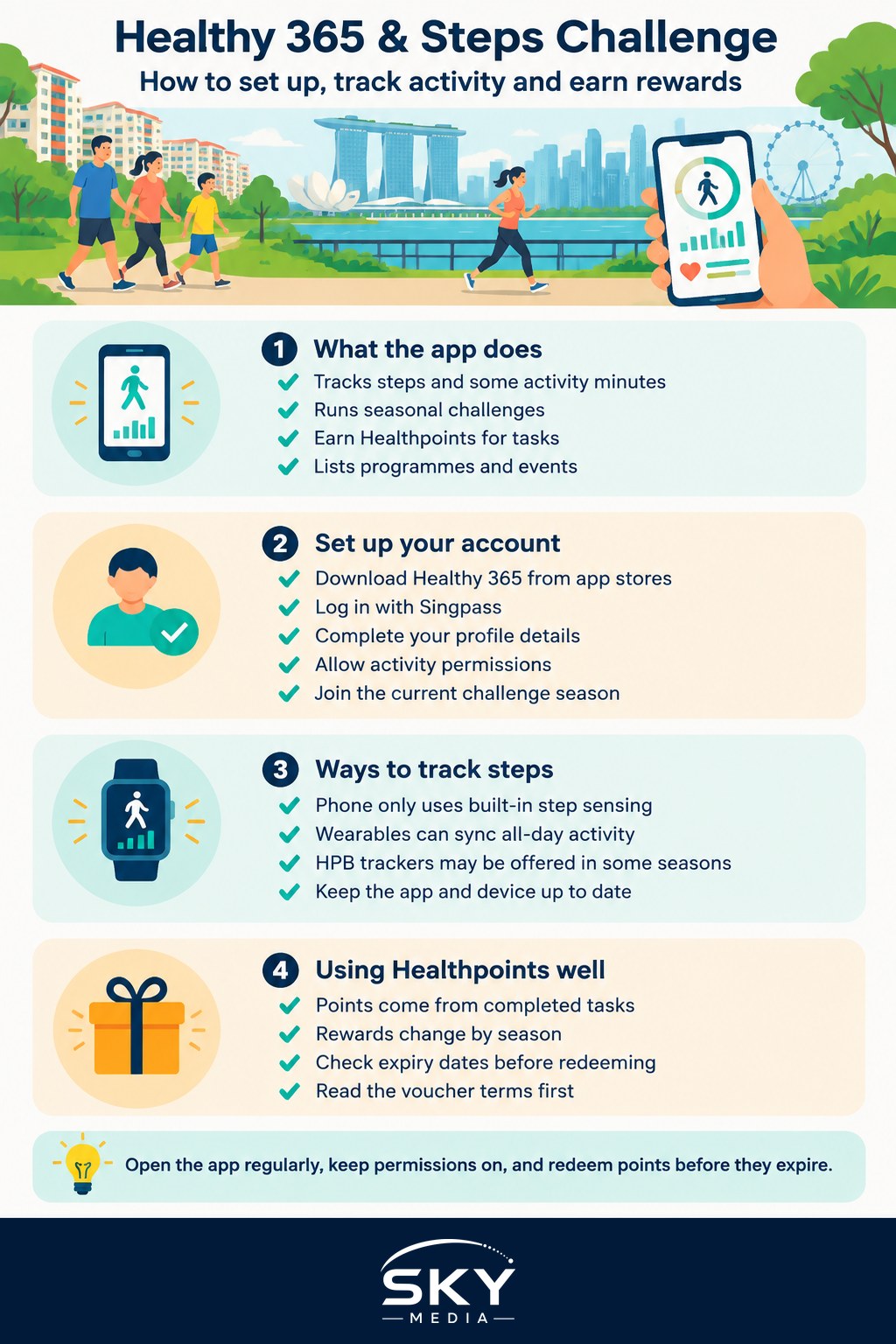
Healthy 365 is HPB’s main app for everyday health habits. It pulls together several things in one place:
- Activity tracking. It records daily steps and, depending on your device, minutes of moderate to vigorous physical activity, often shortened to MVPA. MVPA usually means activity that gets you slightly breathless, such as brisk walking, cycling or a workout class.
- Challenges. The best known is the National Steps Challenge, which runs in seasons and rewards you for hitting step and activity targets.
- Healthpoints. These are reward points you earn for completing challenge tasks. You can redeem them for rewards listed in the app, which have included vouchers from participating merchants.
- Programmes and events. HPB lists healthy lifestyle programmes such as community workouts, health screenings and nutrition initiatives, some of which you can sign up for or check in to through the app.
- Other healthy habits. Depending on the season, the app may include features or challenges related to sleep, healthier food choices and mental wellbeing.
Features, challenges and rewards change from season to season, so treat this guide as a general walkthrough and check the app itself and the HPB website for what is currently running.
Setting Up the App Step by Step
- Download Healthy 365 from the Apple App Store or Google Play. Search for the exact name and check that the publisher is the Health Promotion Board.
- Log in with Singpass. Most users sign in using Singpass, Singapore’s national digital identity. If you have not set up the Singpass app yet, our guide to using the Singpass app and face verification explains how.
- Complete your profile. The app will ask for basic details. Accurate height and weight help some activity estimates.
- Allow the right permissions. Give the app permission to read activity data from your phone’s health platform. Without this, your steps will not appear. You may also want notifications on for reminders about challenge deadlines.
- Choose a tracking source. You can usually track with your phone alone or connect a compatible wearable. More on this below.
- Join the current challenge. Open the challenges section and register for the National Steps Challenge season if one is running. Simply having the app is not always enough: you often need to sign up for each season.
Tip: if you change phones, log in again, re-grant the health permissions and confirm your device is still linked. A missed permission is the most common reason steps stop syncing.
Tracking Options Compared
| Tracking method | How it works | Good for | Watch out for |
|---|---|---|---|
| Phone only | Uses your phone’s built-in step sensor through Apple Health or the Android health platform | Getting started at no extra cost | Steps are missed when your phone is on a desk or in a bag elsewhere |
| Supported smartwatch or fitness band | Syncs your wearable’s data through a compatible health platform or direct link | Accurate all-day steps and MVPA minutes | Check the device is on HPB’s supported list and keep its app updated |
| HPB-issued or partner tracker (when offered) | A tracker provided under a specific programme or season | People without a smartwatch | Availability and collection arrangements vary each season |
Whatever you use, open the Healthy 365 app regularly so your data syncs. Some seasons have sync windows, and steps that never reach the app before a deadline may not count.
How the National Steps Challenge Works
The National Steps Challenge has been running in Singapore for years, encouraging people of all ages to walk more. The details change each season, but the general pattern is:
- Register for the season in the app.
- Hit daily or weekly targets. Targets are usually based on step counts and sometimes on MVPA minutes. Reaching a tier earns Healthpoints.
- Complete bonus tasks. Some seasons add tasks such as attending a community workout, trying a healthier meal option or answering a short quiz.
- Redeem Healthpoints in the app’s rewards section before they expire.
Targets usually reward consistency more than one-off heroic efforts, so a daily walk tends to earn more over a season than one long hike a month. Read the season’s terms in the app for the current targets, point values and end dates.
Earning and Redeeming Healthpoints
Healthpoints are the reward currency inside Healthy 365. A few things are worth knowing:
- Points come from completed tasks, not from simply opening the app. Check the challenge screen to see what counts.
- Rewards change. The rewards catalogue has varied over time and can include vouchers or other perks from participating partners. Browse the catalogue in the app to see what is currently available.
- Points can expire. Check the expiry date shown in the app and redeem before then.
- Read redemption terms. Some vouchers are only valid at certain outlets, for limited periods, or for minimum spends. Read the details before you redeem so your points are not wasted.
If you enjoy stacking rewards, you might also like our guide to cashback and price-comparison apps, but remember the real prize here is the habit, not the vouchers.
Making the Steps Habit Stick
The app works best when it nudges you into a routine you can keep. Practical ideas that suit Singapore life:
- Walk part of your commute. Alight one MRT stop or bus stop early, or walk to the further station when the weather is kind.
- Use park connectors. Singapore’s park connector network links many parks and neighbourhoods, and evening walks along them are cooler and pleasant.
- Walk after dinner. A short family stroll around the estate adds steps and time together.
- Take the stairs at your HDB block or office for a few floors.
- Join a community activity. Many community centres and parks host group workouts that may count towards challenge tasks.
Stay safe in the heat. Walk in the early morning or evening, carry water, wear comfortable shoes and stop if you feel dizzy or unwell. If you have a heart condition, joint problems, are pregnant, or have not exercised in a long time, check with your doctor or polyclinic before significantly increasing your activity. The app is a motivation tool, not a medical device, and step targets are general goals, not personal medical advice.
Common Problems and Fixes
- Steps not syncing: check that health permissions are still allowed, your wearable’s own app has synced, and you are on the latest app version.
- Wrong step totals: if you use both phone and watch, make sure only one source is counted, or you may see gaps or mismatches.
- Cannot see the challenge: you may not have registered for the current season, or a season may have ended. Check the app’s announcements.
- Login issues: most are Singpass-related. Make sure your Singpass app works and is up to date.
- Rewards not showing: points can take time to credit after a task is completed. Check the challenge history before contacting support.
For other help, use the support or FAQ section inside the app or on the HPB website.
Who Can Join and How Families Use It
Many residents, including citizens, permanent residents and pass holders who can log in with Singpass, use the app. Eligibility for specific challenges and rewards can vary, so check each season’s terms. Families often turn it into a friendly competition, which works best when it stays fun.
Healthy 365 sits alongside other government apps that make daily life easier. If you are still getting familiar with them, our overview of LifeSG and government digital services is a good next read.
Frequently Asked Questions
Why have my steps stopped appearing in Healthy 365? The most common cause is a missed permission, especially after changing phones. Check that the app can read activity data from your phone’s health platform, your wearable’s own app has synced, and you are on the latest version. If you use both phone and watch, make sure only one source is counted.
Do I need to sign up again for each National Steps Challenge season? Often yes. Having the app is not always enough, so register for the current season in the challenges section. A season may also have ended, so check the app’s announcements.
Do Healthpoints expire? They can. Check the expiry date shown in the app and redeem before then. Also read the terms of each reward, as some vouchers are valid only at certain outlets, for limited periods or for minimum spends.
Can permanent residents and pass holders use Healthy 365? Many users do, including permanent residents and pass holders who can log in with Singpass. Eligibility for specific challenges and rewards can vary, so check each season’s terms in the app.
Should I see a doctor before ramping up my steps? If you have a heart condition or joint problems, are pregnant, or have not exercised in a long time, check with your doctor or polyclinic before significantly increasing activity. The app is a motivation tool, not a medical device. Walk in the early morning or evening and carry water.
Official sources: Health Promotion Board
Further reading: The Truth About the 10000 Steps Goal · Building Healthy Habits in Singapore